


































































The short answer: a travel eSIM like Roambee goes on your phone, not on the watch. Watch eSIMs only accept a watch plan from your phone carrier. The good news: your watch keeps working through the phone.
Why the eSIM can’t go on the watch
Apple Watch, Galaxy Watch and Pixel Watch with LTE have an eSIM, but it is tied to your phone carrier. Apple requires a watch plan from the same carrier as your iPhone; Samsung and Google work the same way with very few exceptions. A travel eSIM QR code cannot be added to the watch.
How your watch works abroad
Install Roambee on your phone. The watch connects to the phone over Bluetooth (or Wi-Fi) and uses its internet: notifications, messages, maps on the wrist, music streaming and payments keep working as long as the phone is nearby.
Away from the phone, the watch can still join a known Wi-Fi network. Only standalone mobile data on the watch needs your carrier’s watch plan and its roaming.
Avoid watch roaming charges
If your watch has its own mobile plan, it may roam on your carrier’s rates when the phone is not nearby. To be safe, switch the watch’s mobile data off for the trip.
The pictures in these steps are illustrations.
-
Apple Watch: on the iPhone open the Watch app → Mobile Service (Cellular) and switch Mobile Data off. On the watch: Control Centre → Mobile, off.
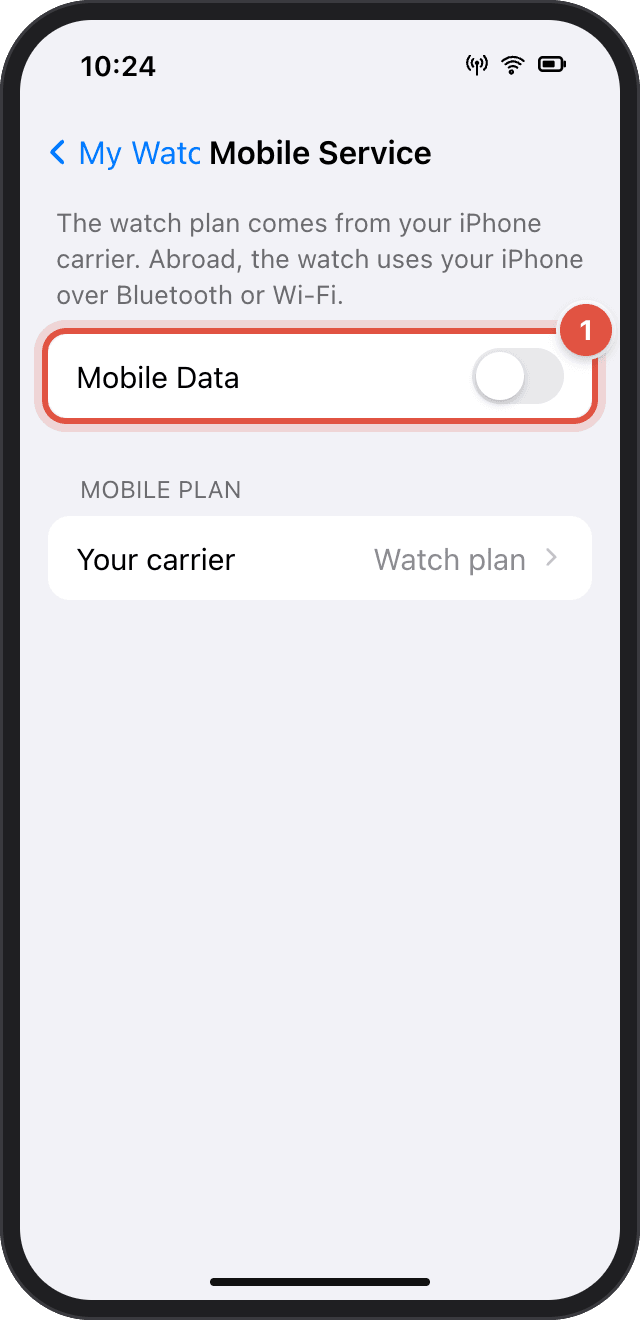
Illustration -
Galaxy Watch: Galaxy Wearable → Watch settings → Mobile plans, or on the watch Settings → Connections → Mobile networks: Off.
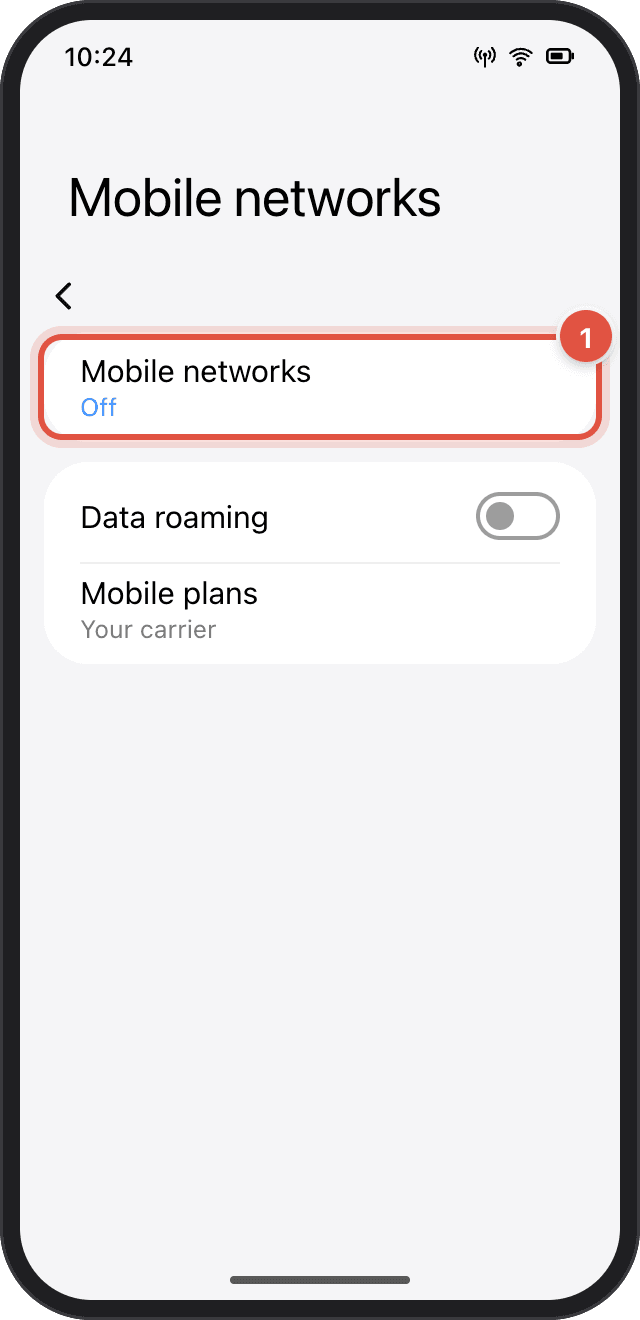
Illustration -
Pixel Watch: on the watch Settings → Connectivity → Mobile, turn it off (Automatic uses LTE only when the phone is away).
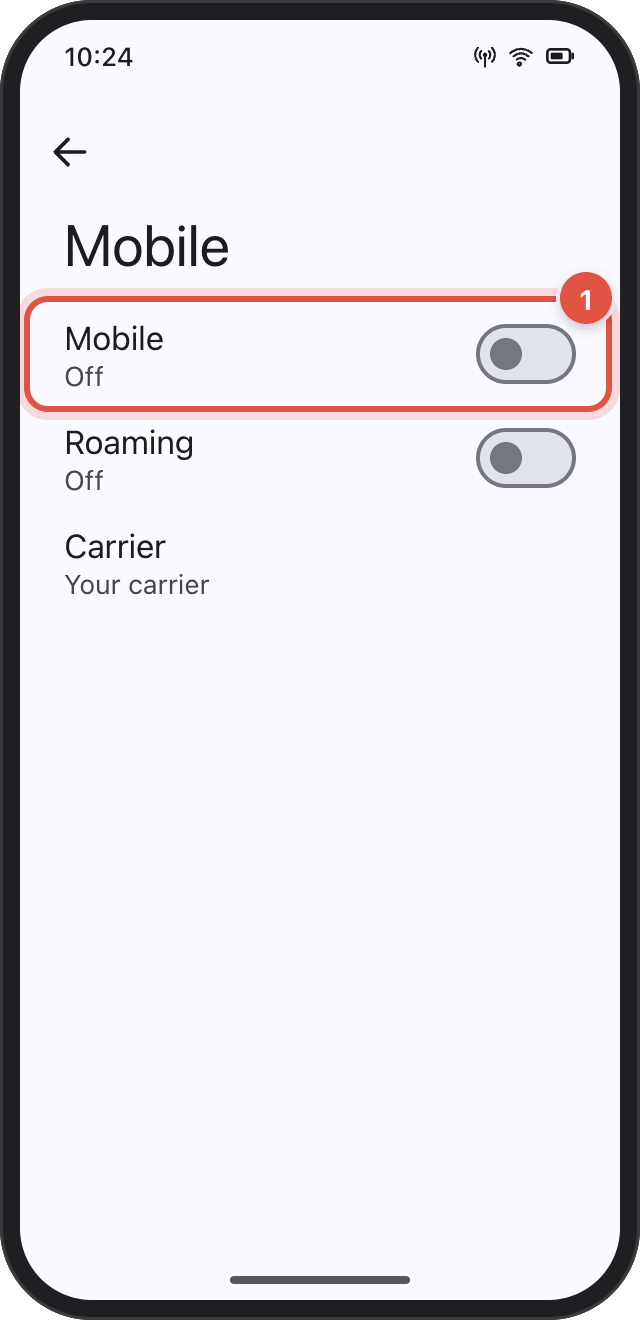
Illustration
Keep Bluetooth on, on both the phone and the watch. That is the link the watch uses for everything while you travel.