

































































Laptops with a built-in 4G or 5G modem (Surface Pro LTE or 5G, many ThinkPad, Latitude and EliteBook models) can use a travel eSIM for mobile data. Laptops without a modem cannot: use your phone’s hotspot instead.
Does my laptop have eSIM?
Open Settings → Network & internet. If there is a Cellular page with eSIM profiles, your laptop has eSIM. No Cellular page means no mobile modem: share the internet from your phone instead.
Windows 11: add the eSIM profile
Connect to Wi-Fi first. Copy the activation code from your eSIM in the Roambee app or at my.roambee.io: the line that starts with LPA:1$.
The pictures in these steps are illustrations.
-
Open Settings → Network & internet → Cellular and select eSIM profiles.
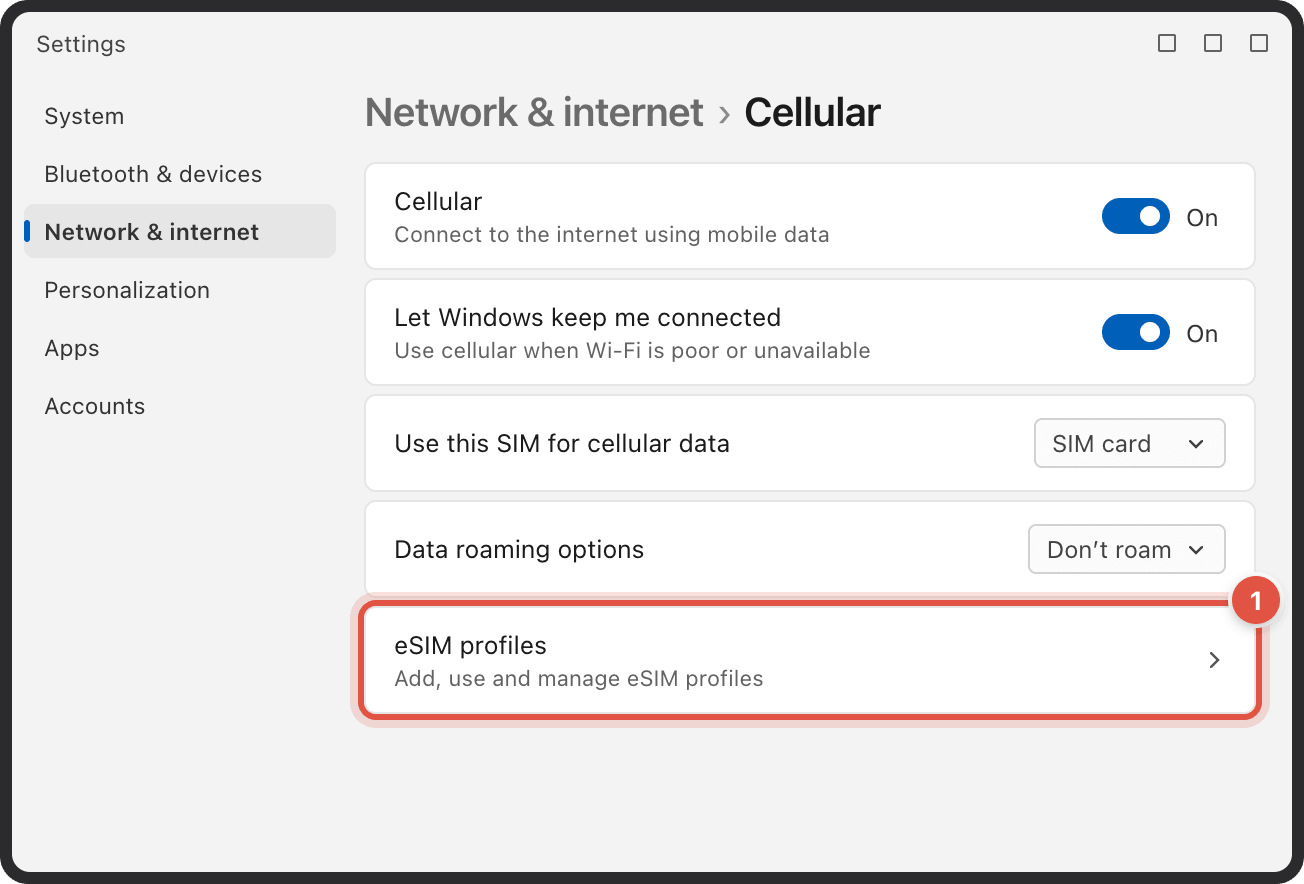
Illustration -
Next to Add an eSIM profile from your mobile operator, select Add profile.
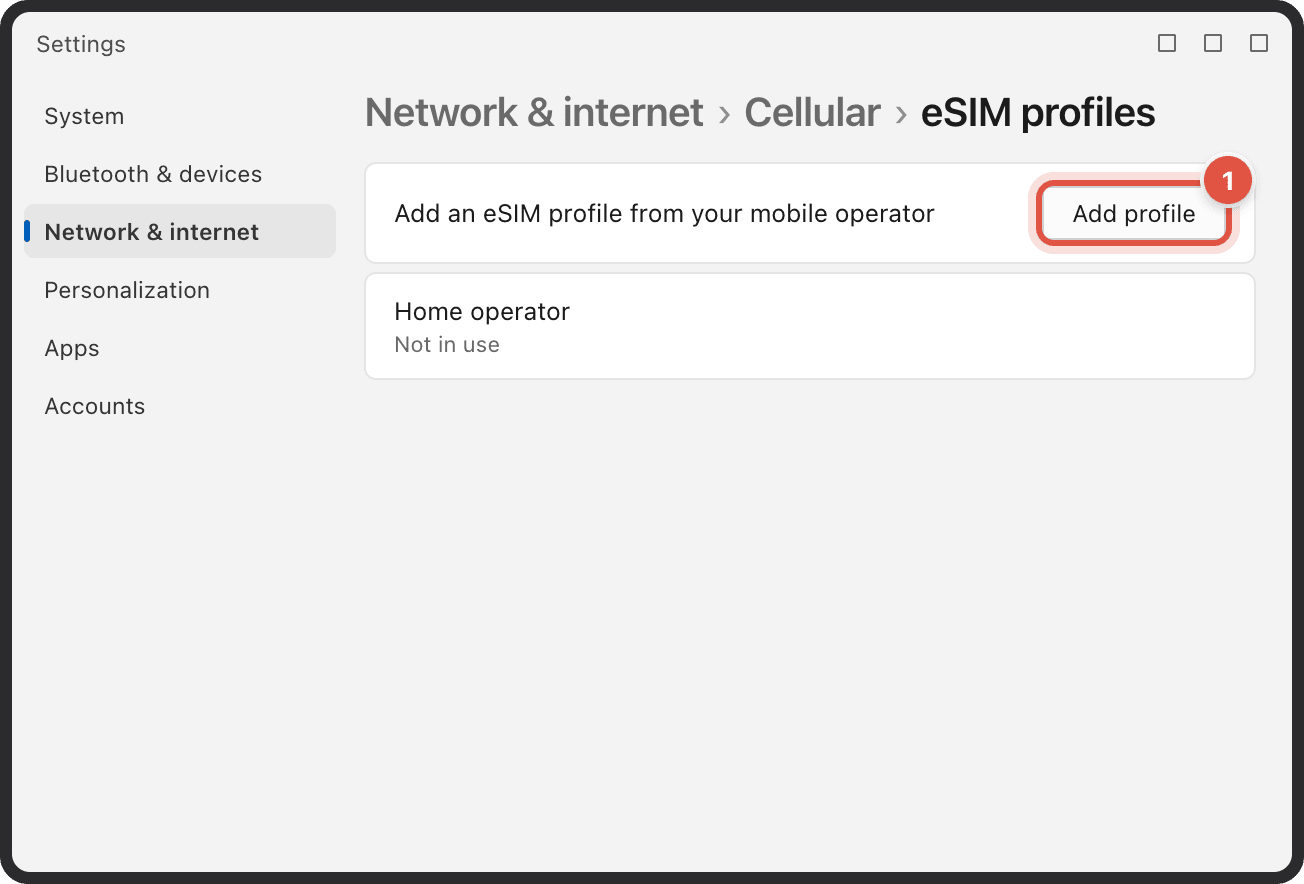
Illustration -
Choose Let me enter an activation code I have from my mobile operator and select Next.
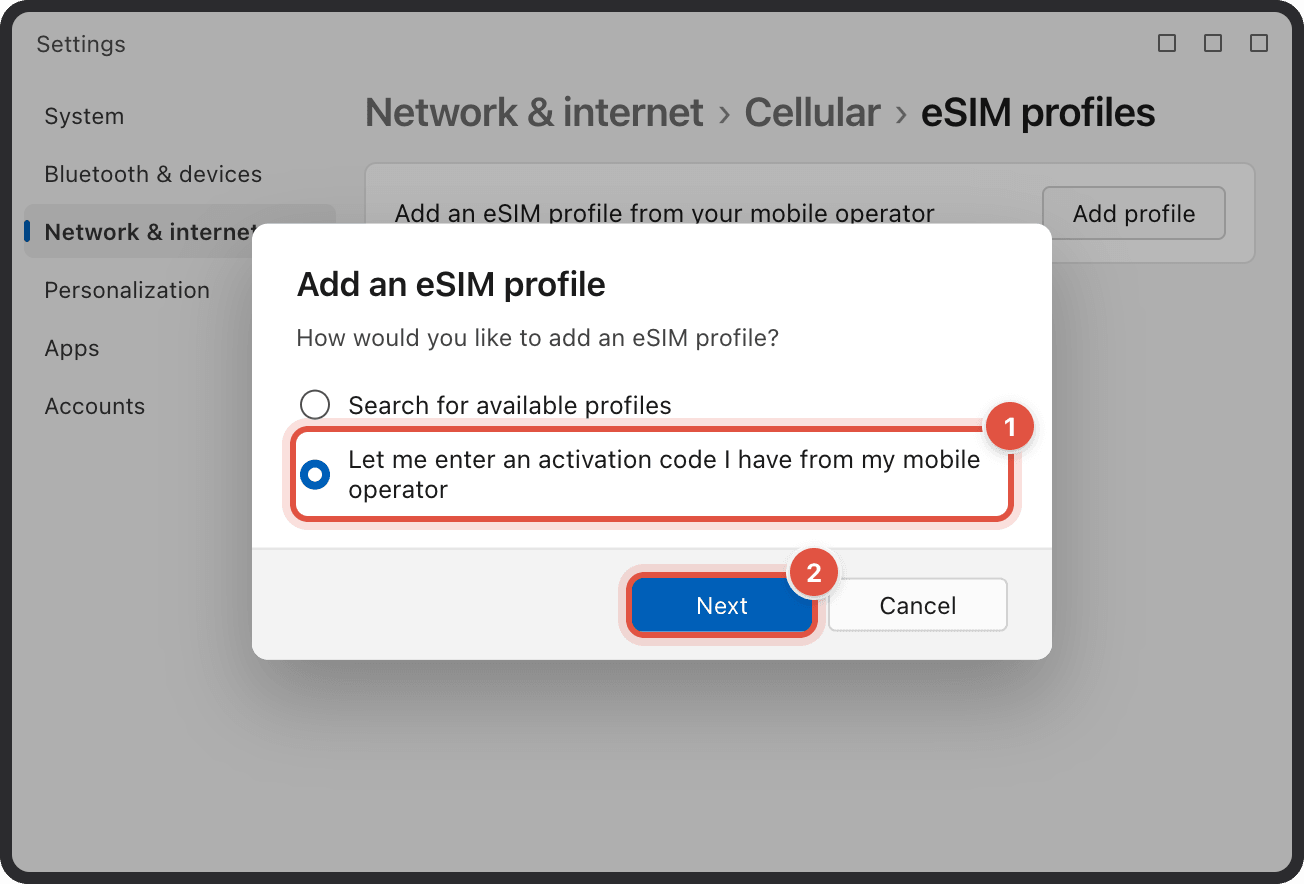
Illustration -
Paste the whole activation code, including LPA:1$, and select Next, then Download. The code in the picture is an example.
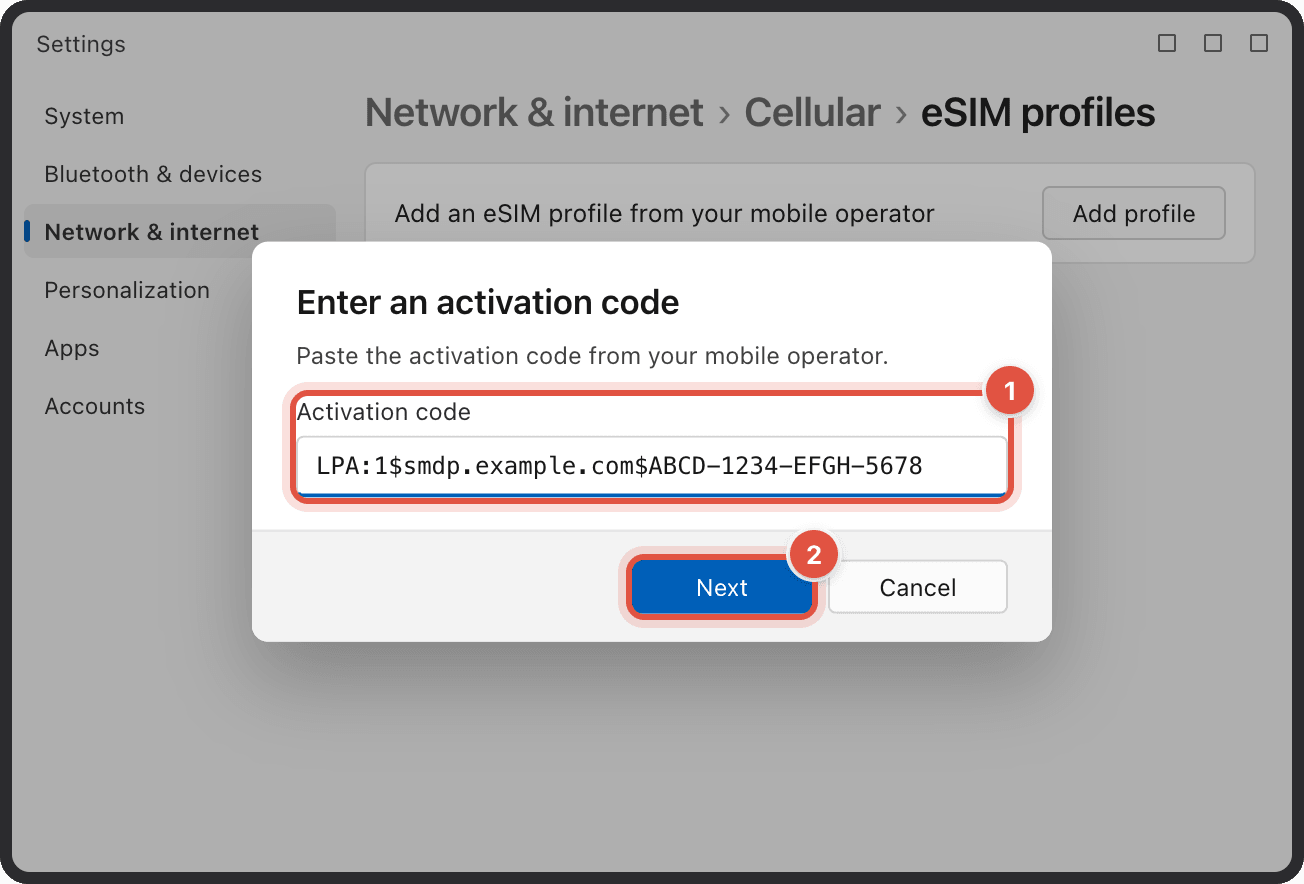
Illustration -
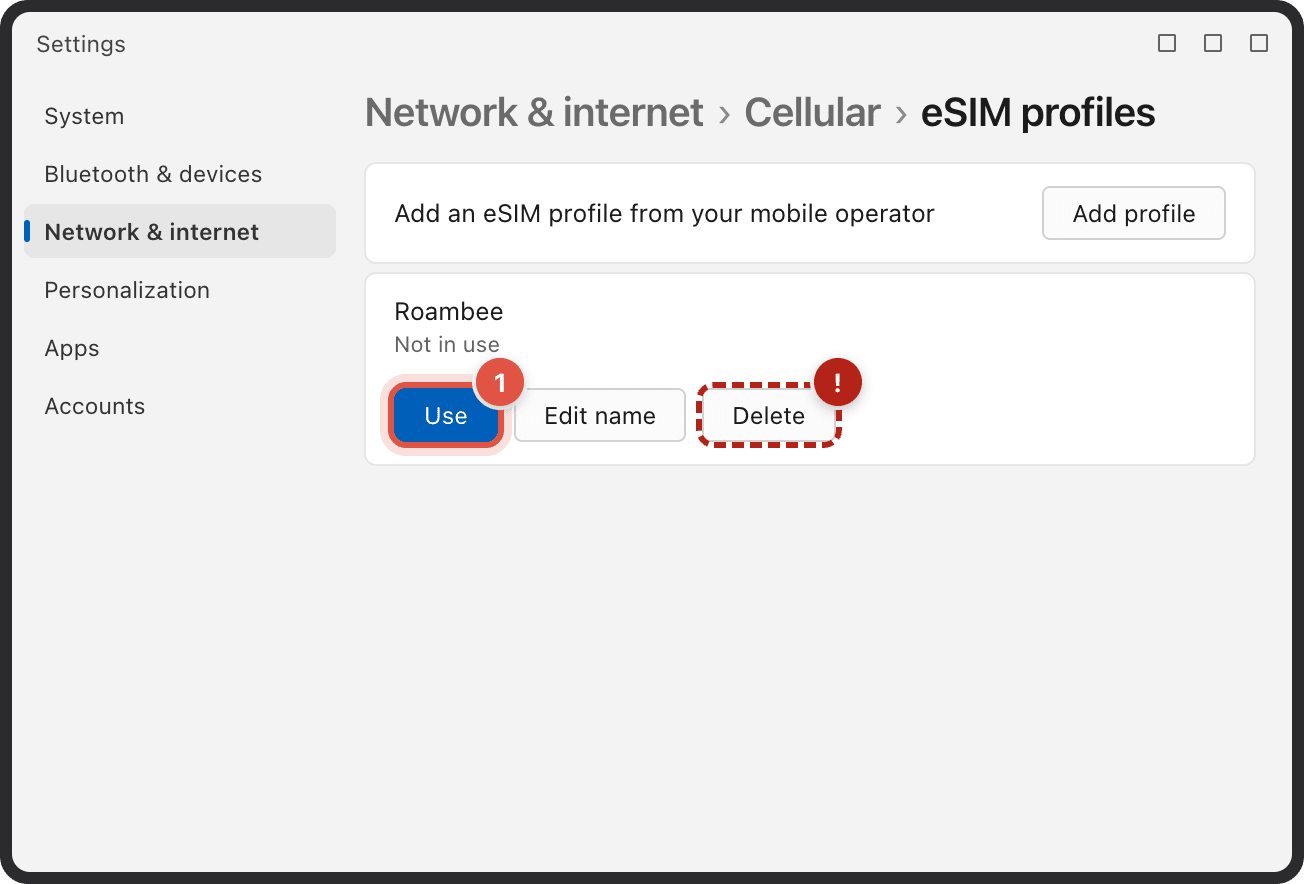
Select the new profile and choose Use. Confirm with Yes.
Illustration
Use the eSIM for data and allow roaming
When you land, open Settings → Network & internet → Cellular again.
The pictures in these steps are illustrations.
-
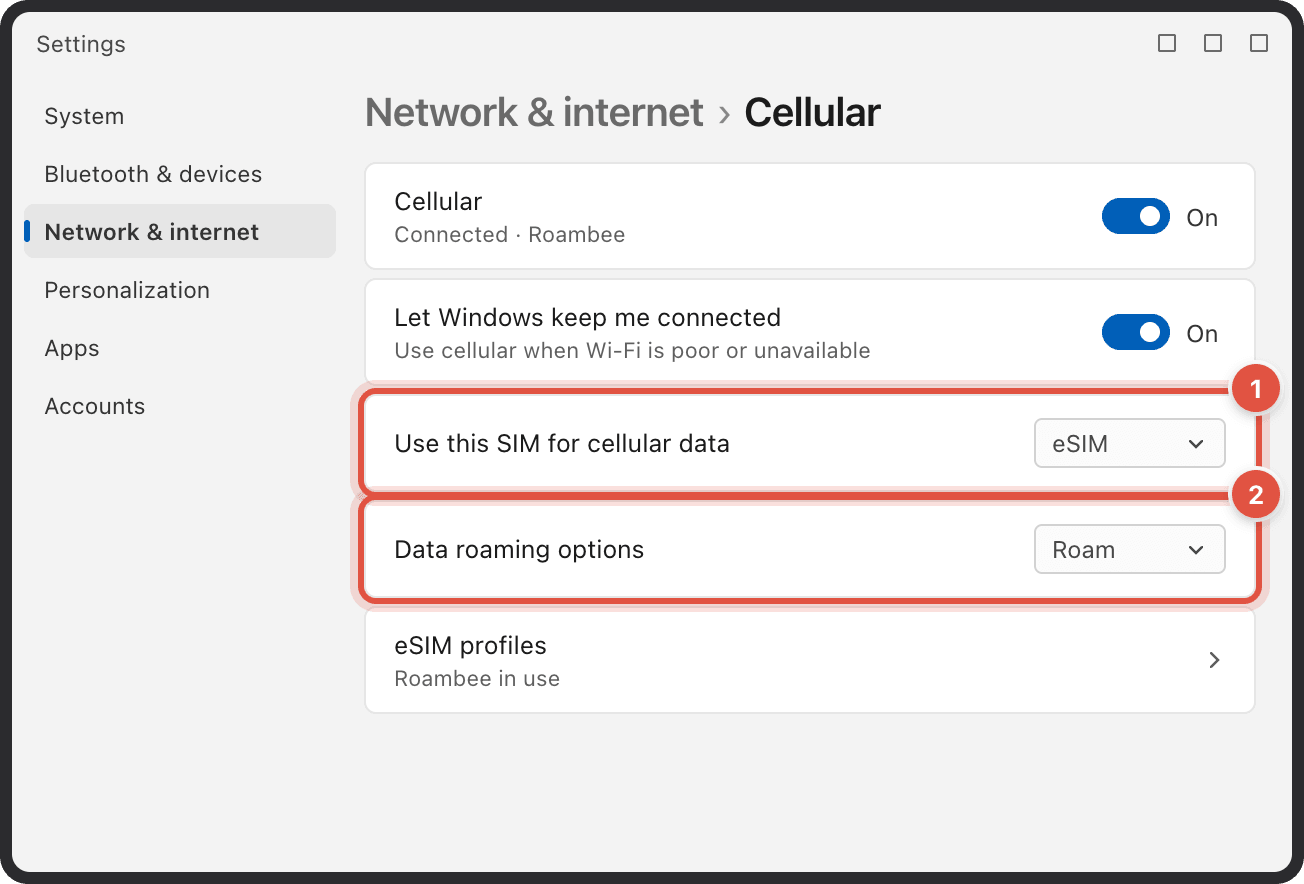
Set Use this SIM for cellular data to eSIM, keep Let Windows keep me connected on, and set Data roaming options to Roam.
Illustration
There are no roaming charges on Roambee. Windows calls it roaming because Roambee uses partner networks in your destination.
Windows 10
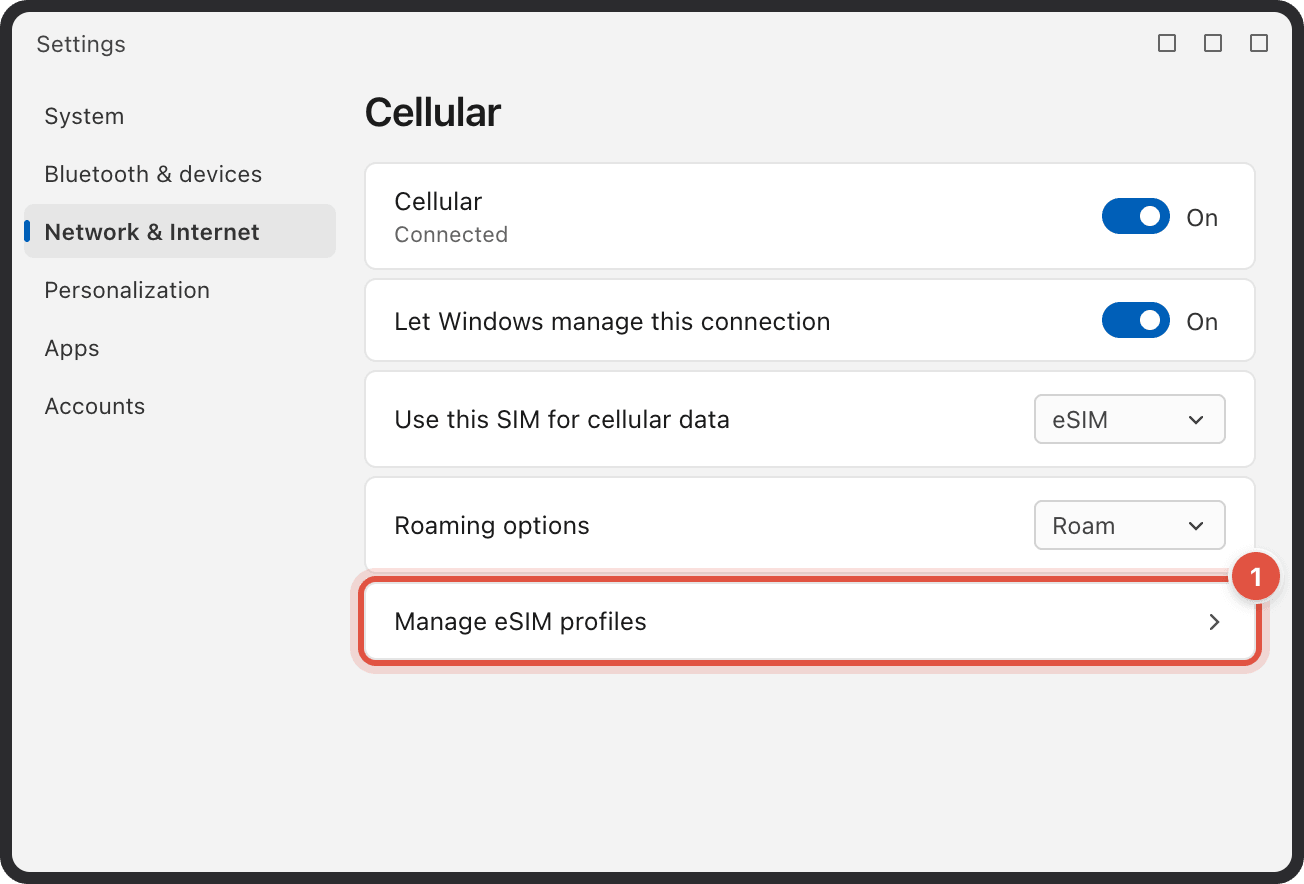
The steps are the same with slightly different names: Settings → Network & Internet → Cellular → Manage eSIM profiles → Add a new profile → Let me enter an activation code I have from my mobile operator. Then select the profile and choose Use. Under Cellular, set Use this SIM for cellular data to eSIM and Roaming options to Roam.
The pictures in these steps are illustrations.
-
Windows 10: Settings → Network & Internet → Cellular → Manage eSIM profiles.
Illustration
If it won’t connect
Turn Airplane mode on and off. Check that the Roambee profile is in use and roaming is set to Roam. If Windows asks for an APN, open Cellular → Mobile operator settings → Add APN and use the APN shown with your eSIM details, if any. Never delete the profile during the trip: an eSIM installs once.