

































































Laptọọpụ nwere modem 4G ma ọ bụ 5G n'ime ya (Surface Pro LTE ma ọ bụ 5G, ọtụtụ ụdị ThinkPad, Latitude na EliteBook) nwere ike iji eSIM njem maka mobile data. Laptọọpụ na-enweghị modem enweghị ike: jiri hotspot ekwentị gị kama.
Laptọọpụ m ọ nwere eSIM?
Mepee Settings → Network & internet. Ọ bụrụ na enwere ibe Cellular nwere eSIM profiles, laptọọpụ gị nwere eSIM. Enweghị ibe Cellular pụtara enweghị modem ekwentị: kesaa ịntanetị site n'ekwentị gị kama.
Windows 11: tinye profaịlụ eSIM
Buru ụzọ jikọọ na Wi-Fi. Detuo koodu mmalite site na eSIM gị na ngwa Roambee ma ọ bụ na my.roambee.io: ahịrị na-amalite na LPA:1$.
Foto ndị dị na nzọụkwụ ndị a bụ ihe osise.
-
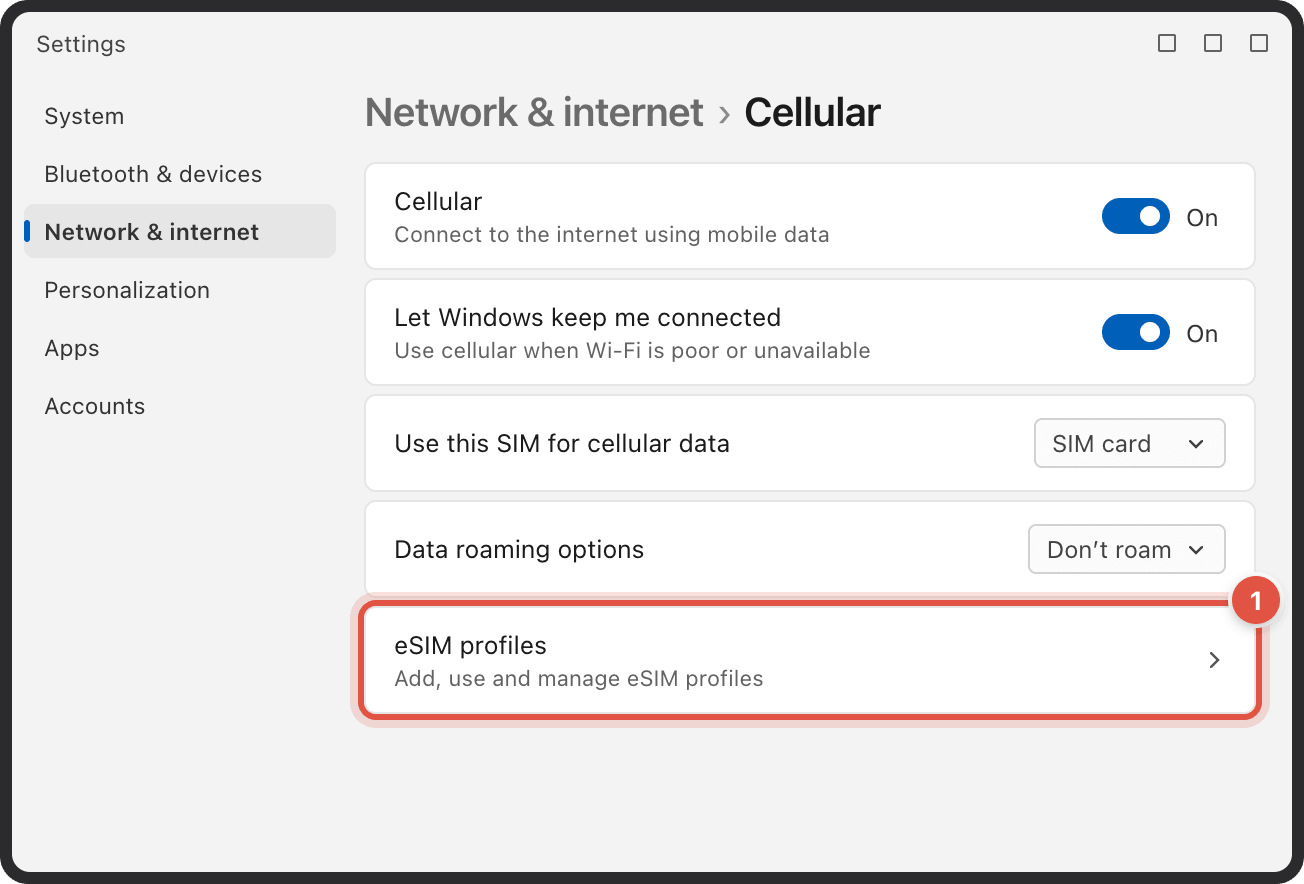
Mepee Settings → Network & internet → Cellular ma họrọ eSIM profiles.
Ihe osise -
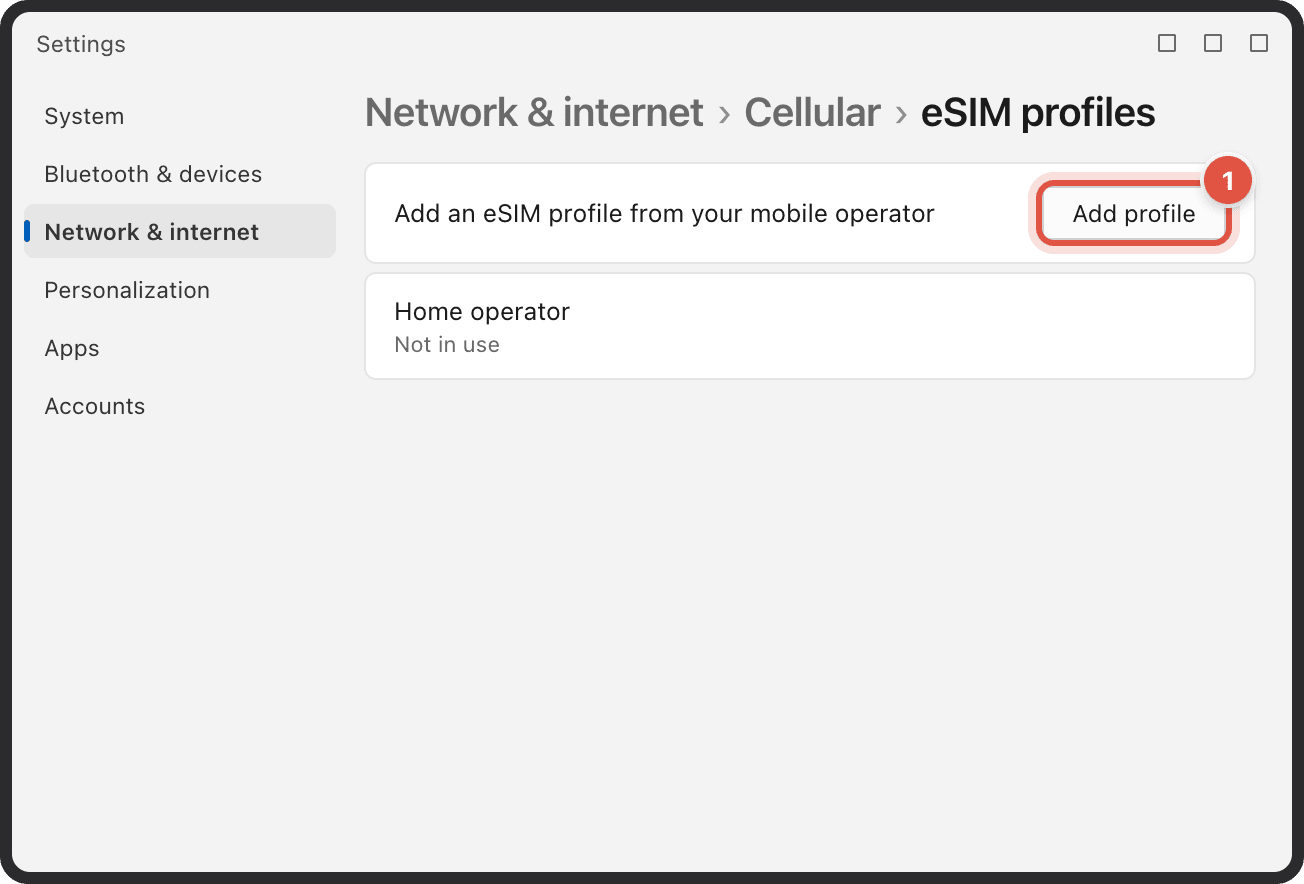
N'akụkụ Add an eSIM profile from your mobile operator, họrọ Add profile.
Ihe osise -
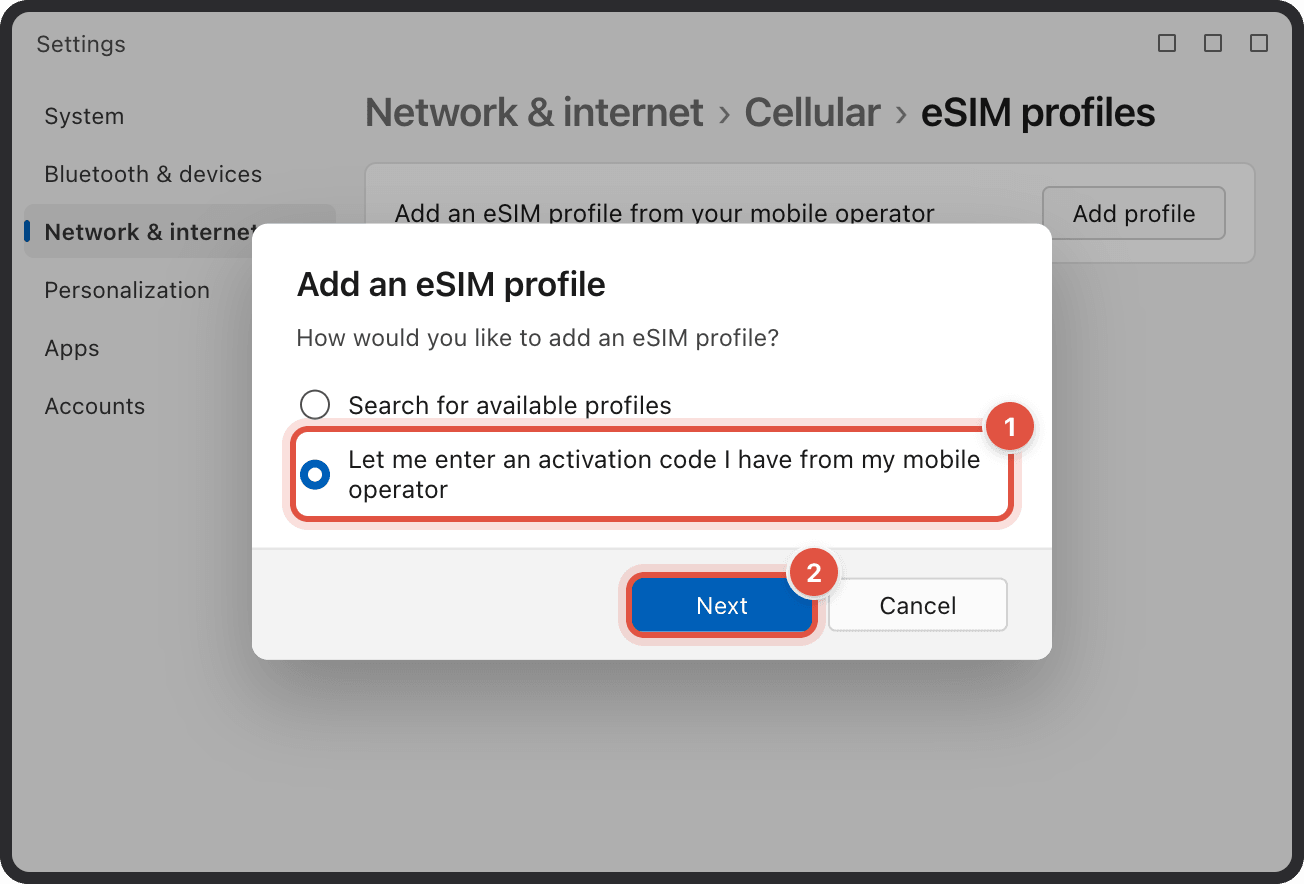
Họrọ Let me enter an activation code I have from my mobile operator ma họrọ Next.
Ihe osise -
Mabata koodu mmalite niile, gụnyere LPA:1$, ma họrọ Next, mgbe ahụ Download. Koodu dị na foto bụ ihe atụ.
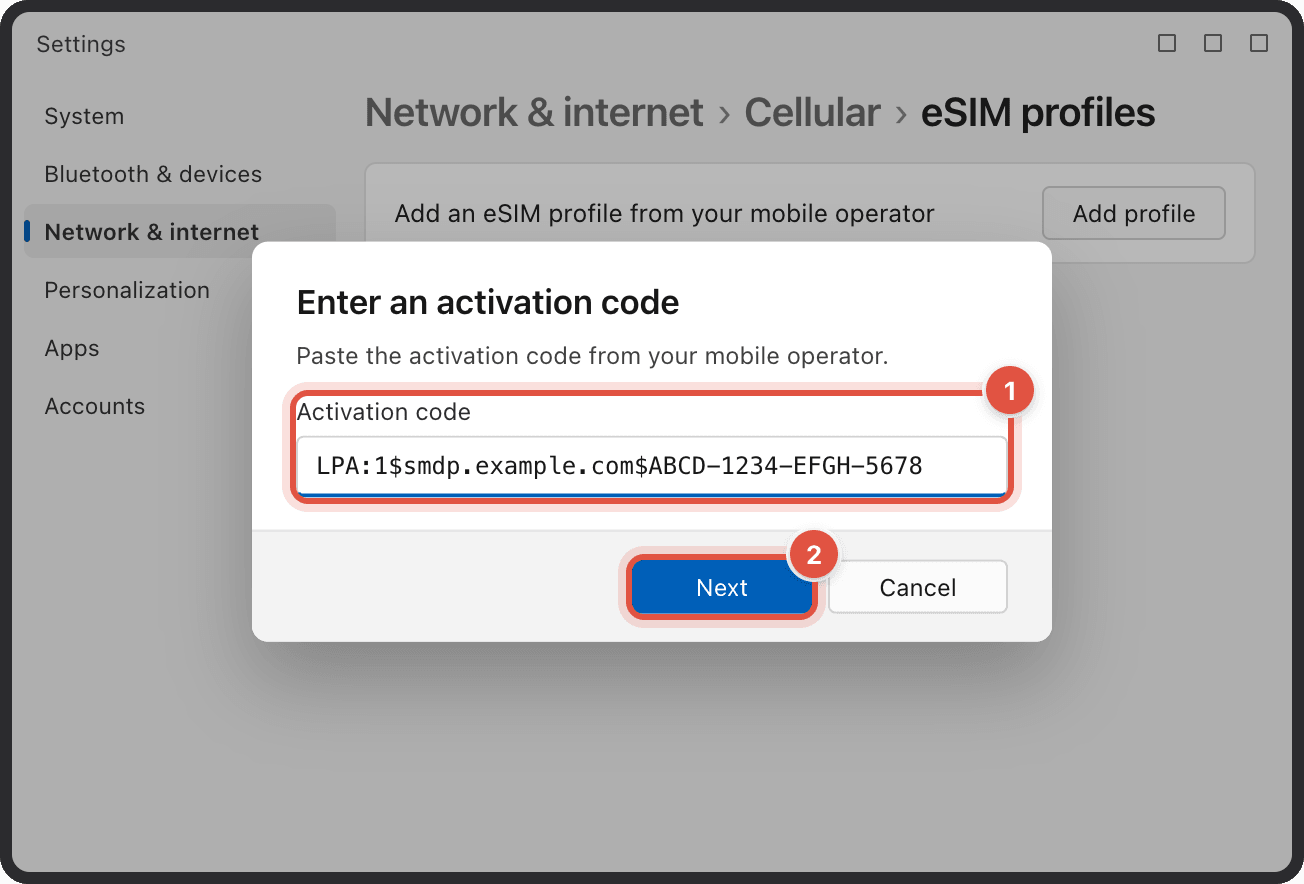
Ihe osise -
Họrọ profaịlụ ọhụrụ ahụ ma họrọ Use. Kwado site na Yes.
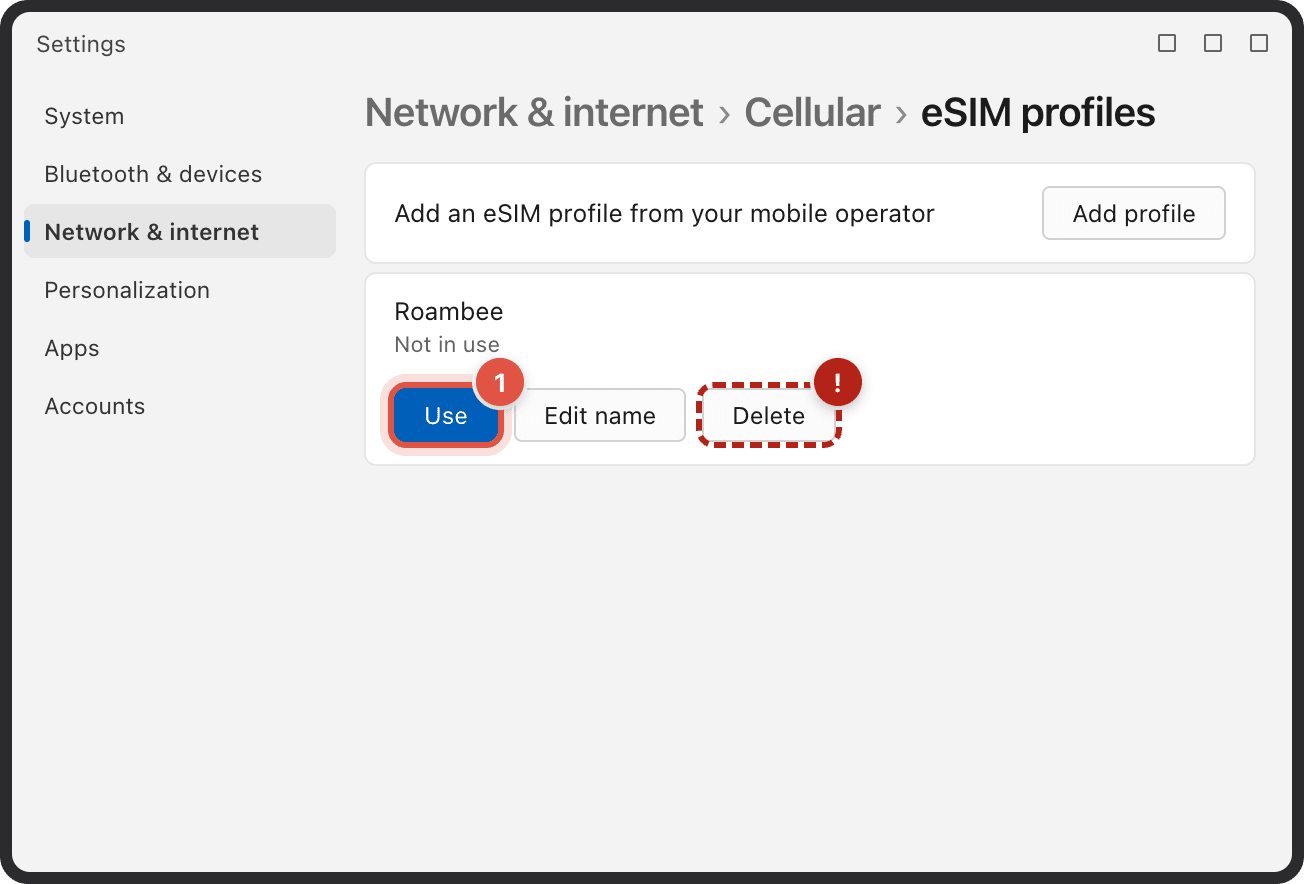
Ihe osise
Jiri eSIM maka data ma kwe roaming
Mgbe ị rutere, mepee Settings → Network & internet → Cellular ọzọ.
Foto ndị dị na nzọụkwụ ndị a bụ ihe osise.
-
Tọọ Use this SIM for cellular data na eSIM, hapụ Let Windows keep me connected ka ọ gbanye, ma tọọ Data roaming options na Roam.
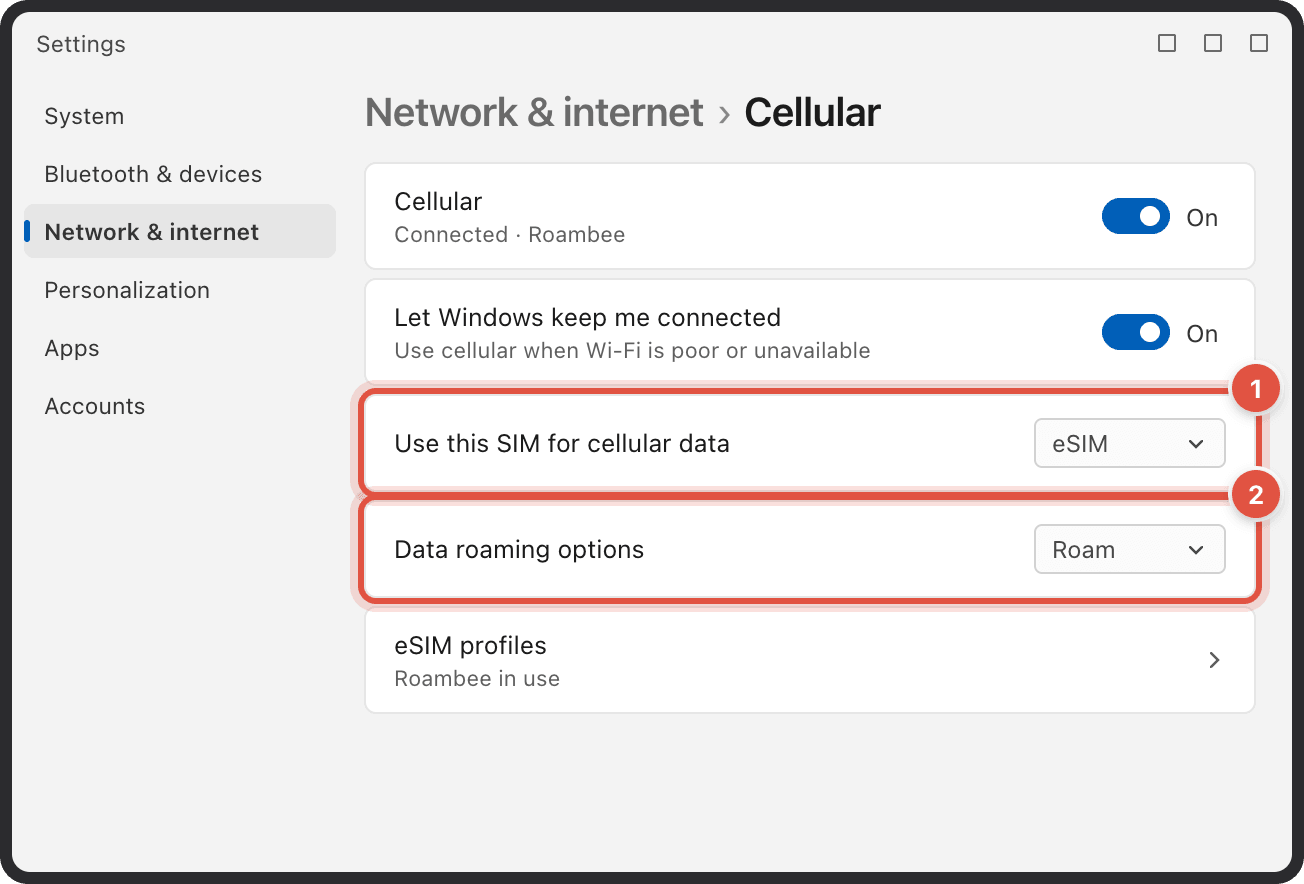
Ihe osise
Enweghị ụgwọ roaming na Roambee. Windows na-akpọ ya roaming n'ihi na Roambee na-eji netwọk ndị mmekọ n'ebe ị na-aga.
Windows 10
Nzọụkwụ ndị ahụ bụ otu ya na aha dị iche ntakịrị: Settings → Network & Internet → Cellular → Manage eSIM profiles → Add a new profile → Let me enter an activation code I have from my mobile operator. Mgbe ahụ họrọ profaịlụ ahụ ma họrọ Use. N'okpuru Cellular, tọọ Use this SIM for cellular data na eSIM na Roaming options na Roam.
Foto ndị dị na nzọụkwụ ndị a bụ ihe osise.
-
Windows 10: Settings → Network & Internet → Cellular → Manage eSIM profiles.
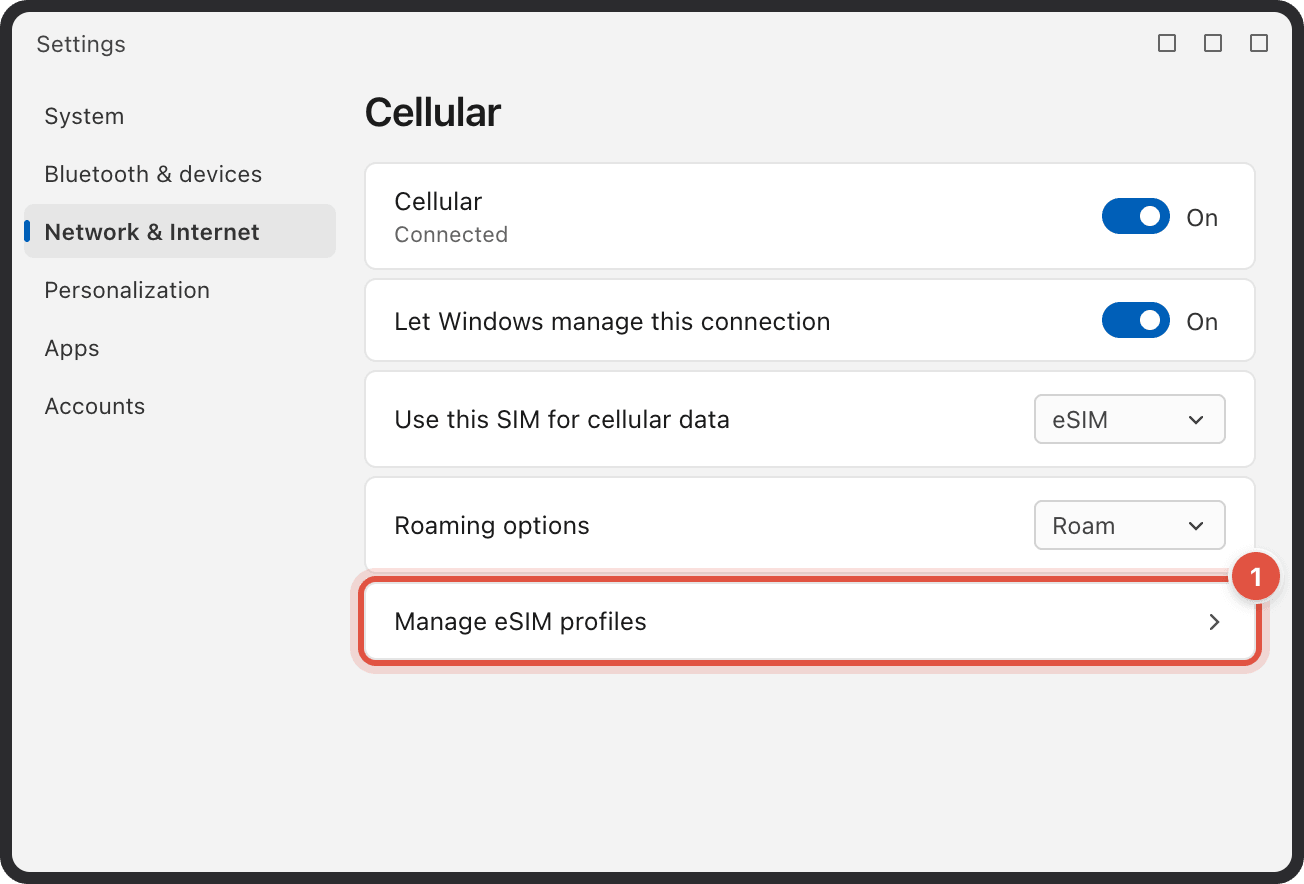
Ihe osise
Ọ bụrụ na ọ jikọghị
Gbanye ma gbanyụọ Airplane mode. Lelee na profaịlụ Roambee na-arụ ọrụ na roaming tọrọ na Roam. Ọ bụrụ na Windows rịọrọ APN, mepee Cellular → Mobile operator settings → Add APN ma jiri APN e gosiri na nkọwa eSIM gị, ma ọ bụrụ na enwere. Ehichapụla profaịlụ ahụ n'oge njem: eSIM na-awụnye otu ugboro.