

































































Ama-laptop ane-modem ye-4G noma ye-5G eyakhelwe ngaphakathi (i-Surface Pro LTE noma 5G, amamodeli amaningi e-ThinkPad, Latitude ne-EliteBook) angasebenzisa i-eSIM yokuhamba yedatha yeselula. Ama-laptop angenayo i-modem awakwazi: sebenzisa i-hotspot yefoni yakho esikhundleni salokho.
Ingabe i-laptop yami ine-eSIM?
Vula i-Settings → Network & internet. Uma kukhona ikhasi le-Cellular elino-eSIM profiles, i-laptop yakho ine-eSIM. Ukungabi khona kwekhasi le-Cellular kusho ukuthi ayikho i-modem yeselula: yabelana nge-inthanethi esuka efonini yakho esikhundleni salokho.
I-Windows 11: engeza iphrofayela ye-eSIM
Xhuma ku-Wi-Fi kuqala. Kopisha ikhodi yokwenza kusebenze ku-eSIM yakho ku-app ye-Roambee noma ku-my.roambee.io: umugqa oqala ngo-LPA:1$.
Izithombe kulezi zinyathelo yimifanekiso.
-
Vula i-Settings → Network & internet → Cellular bese ukhetha u-eSIM profiles.
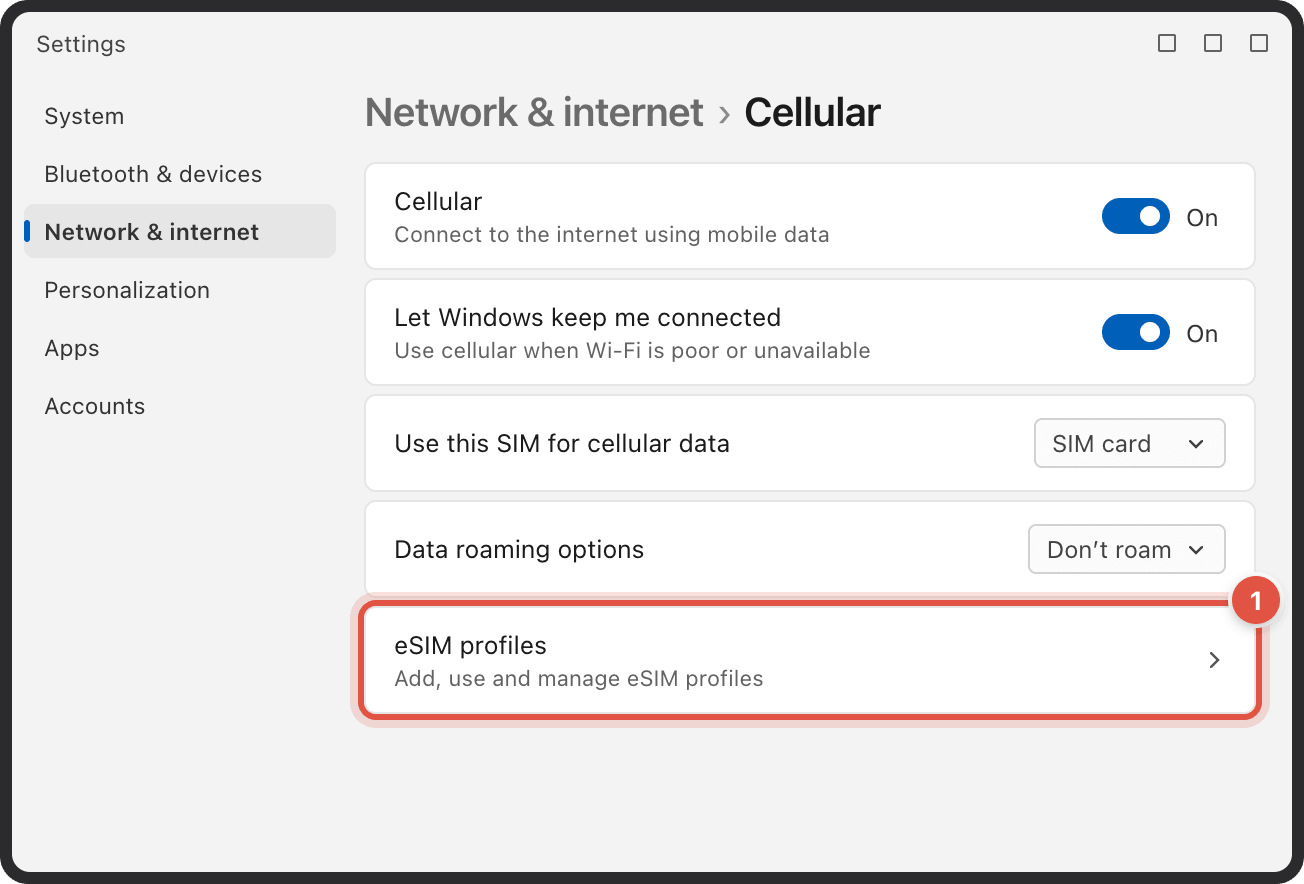
Umfanekiso -
Eduze kuka-Add an eSIM profile from your mobile operator, khetha u-Add profile.
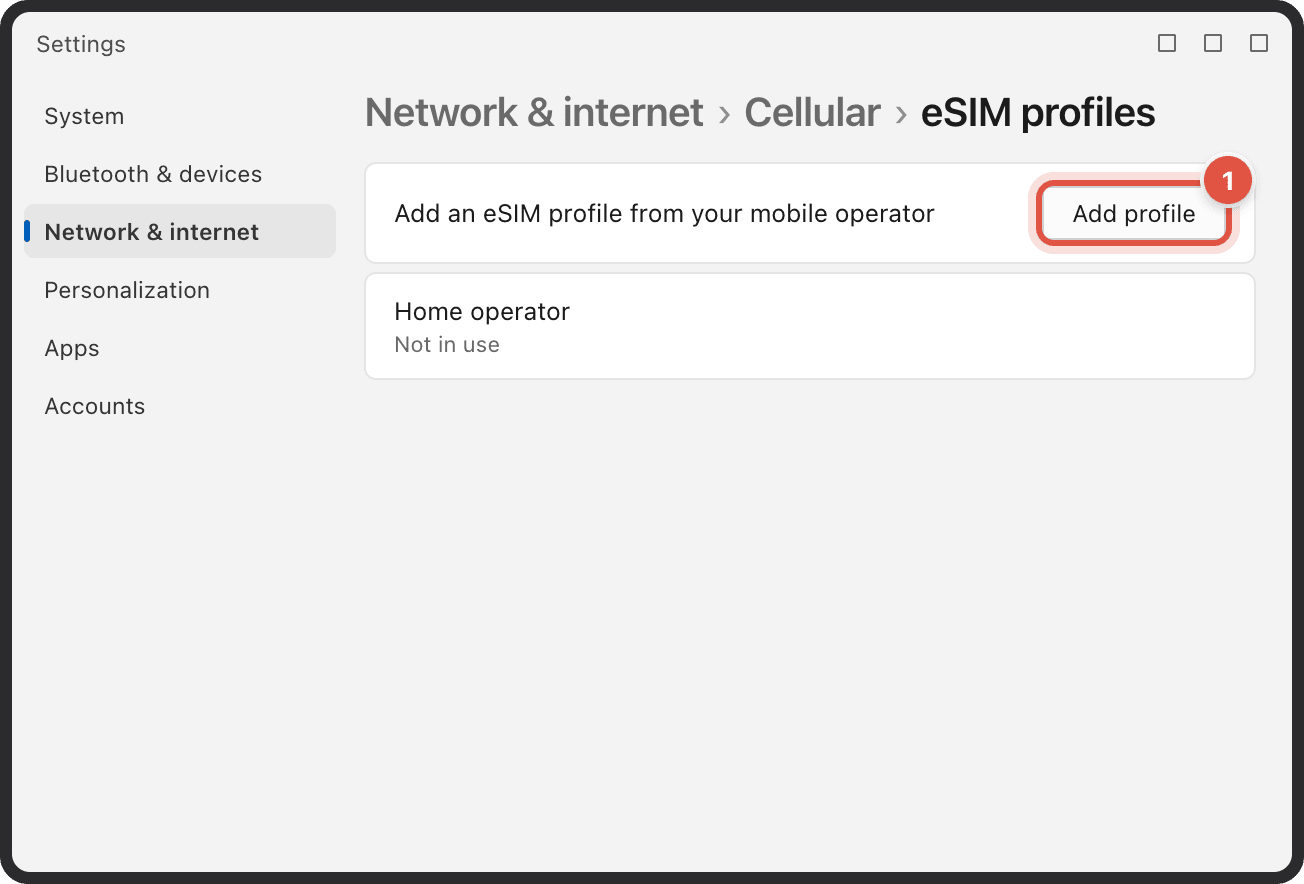
Umfanekiso -
Khetha u-Let me enter an activation code I have from my mobile operator bese ukhetha u-Next.
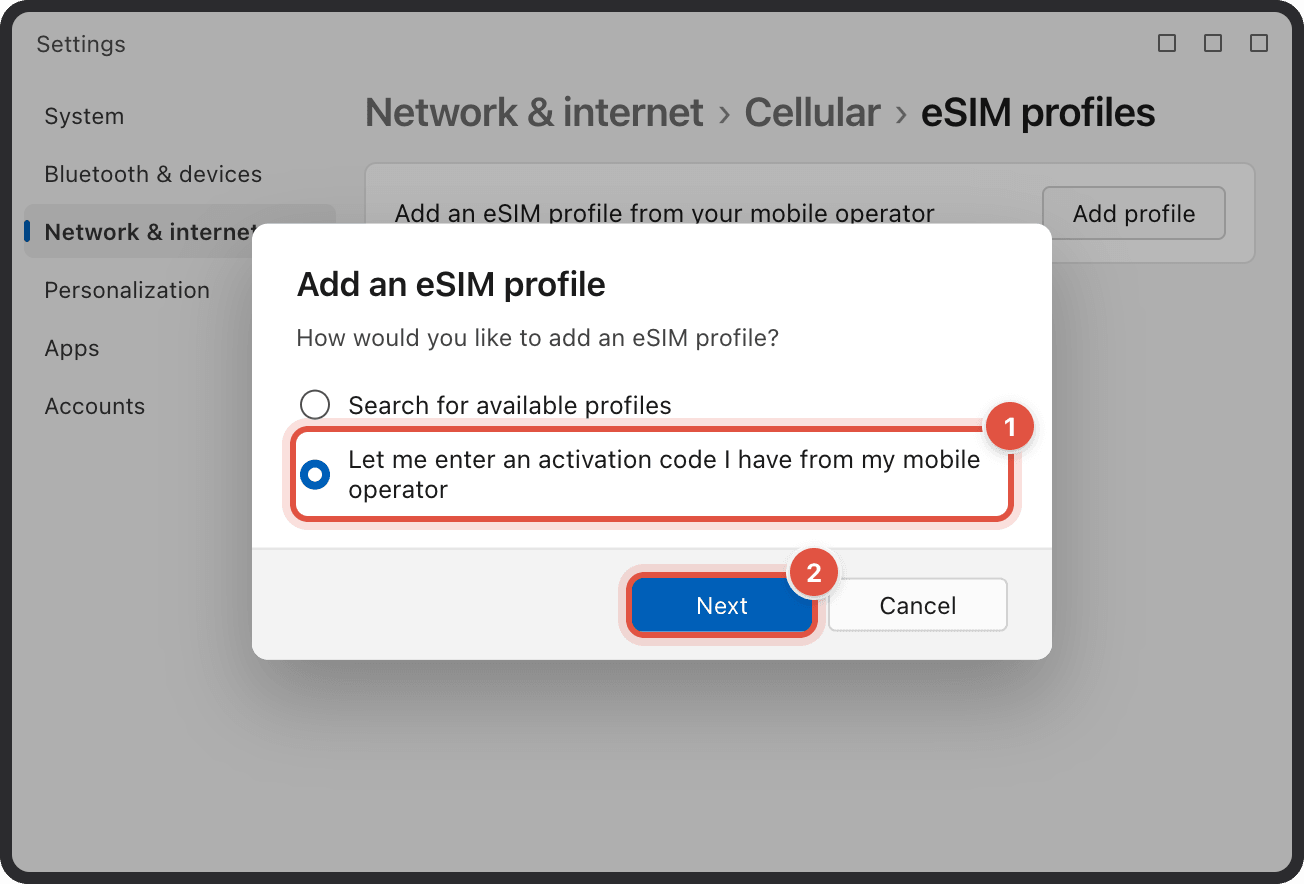
Umfanekiso -
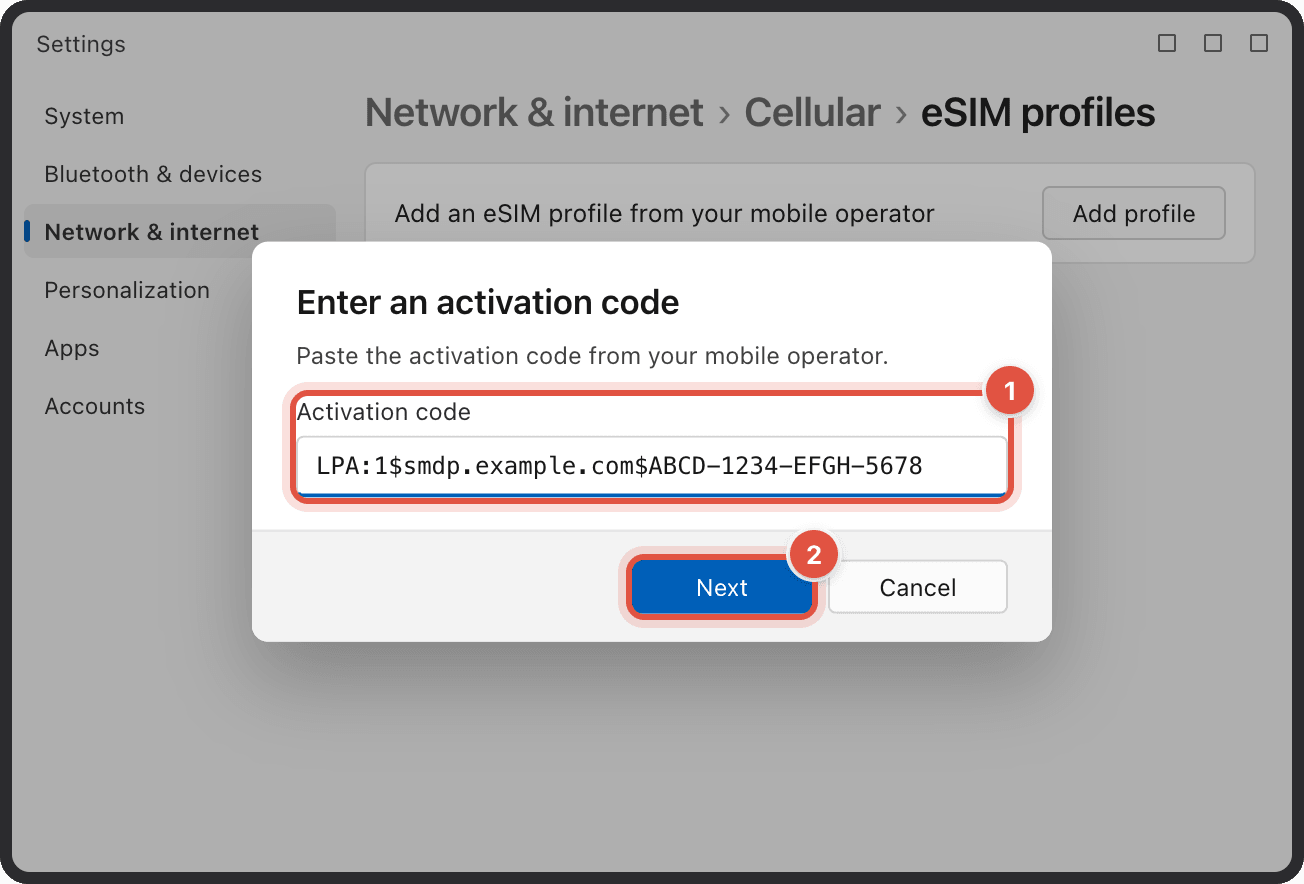
Namathisela yonke ikhodi yokwenza kusebenze, kuhlanganise no-LPA:1$, bese ukhetha u-Next, bese u-Download. Ikhodi esesithombeni iyisibonelo.
Umfanekiso -
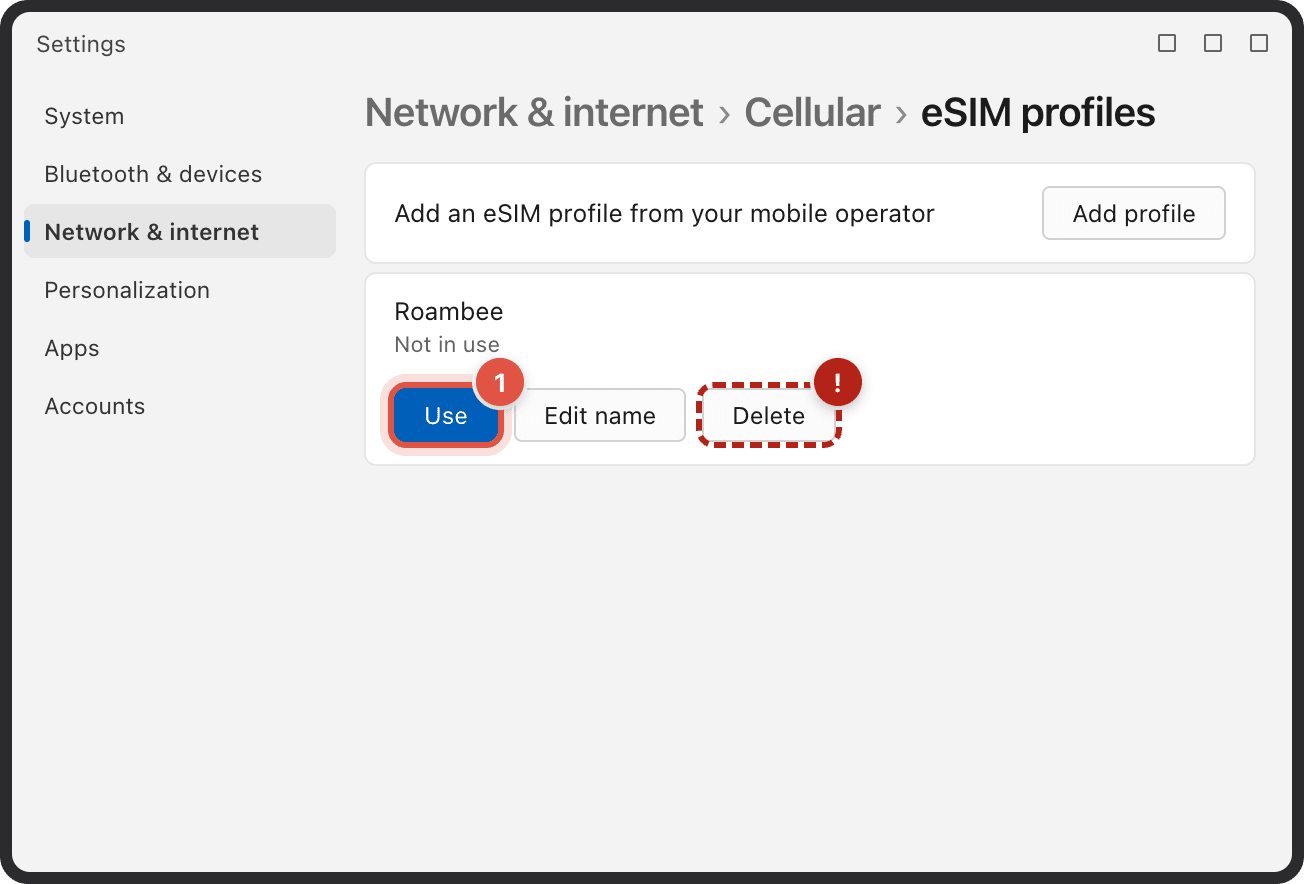
Khetha iphrofayela entsha bese ukhetha u-Use. Qinisekisa ngo-Yes.
Umfanekiso
Sebenzisa i-eSIM yedatha futhi uvumele i-roaming
Uma ufika, vula i-Settings → Network & internet → Cellular futhi.
Izithombe kulezi zinyathelo yimifanekiso.
-
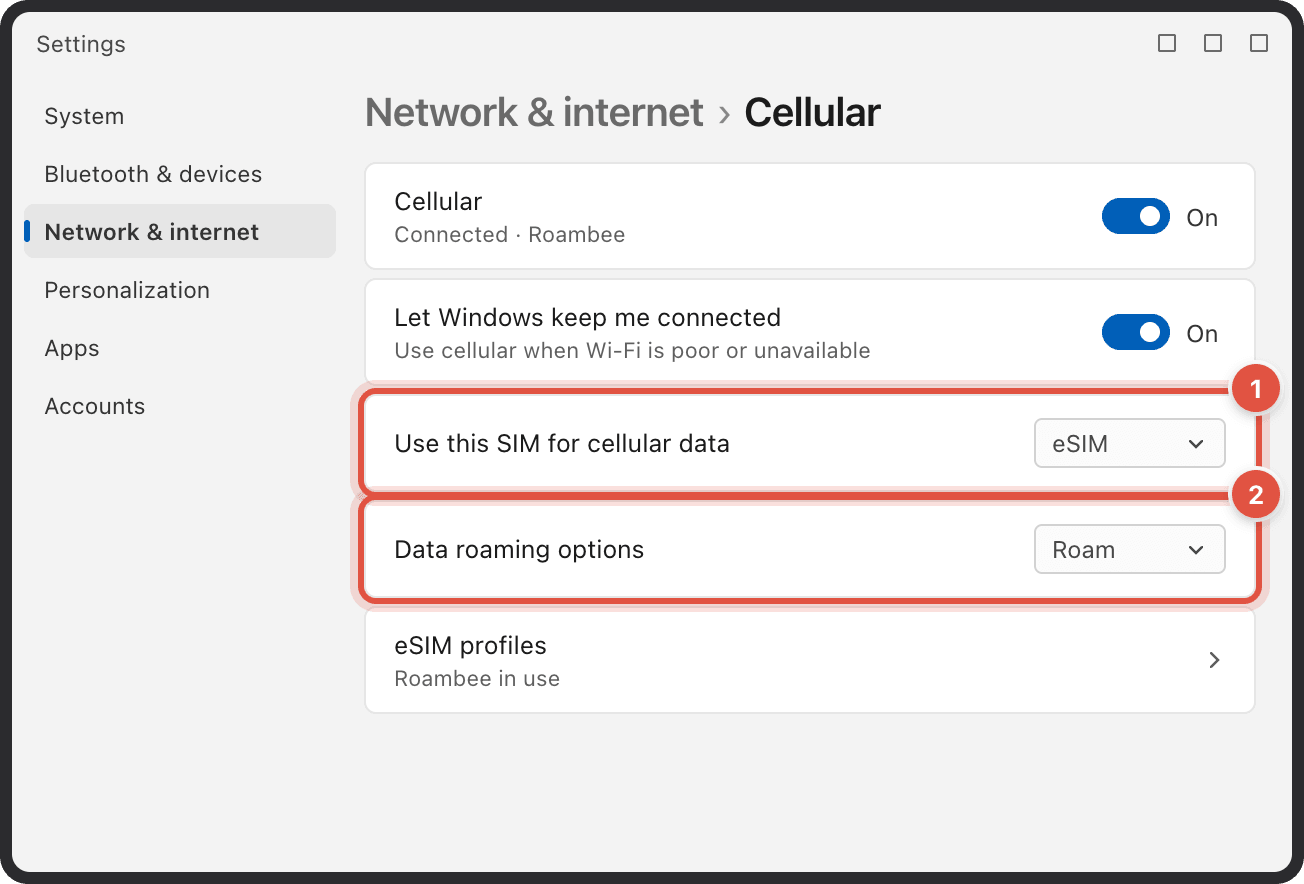
Setha u-Use this SIM for cellular data ku-eSIM, ugcine u-Let Windows keep me connected uvuliwe, bese usetha u-Data roaming options ku-Roam.
Umfanekiso
Azikho izindleko ze-roaming ku-Roambee. I-Windows ikubiza nge-roaming ngoba i-Roambee isebenzisa amanethiwekhi ozakwethu endaweni oya kuyo.
I-Windows 10
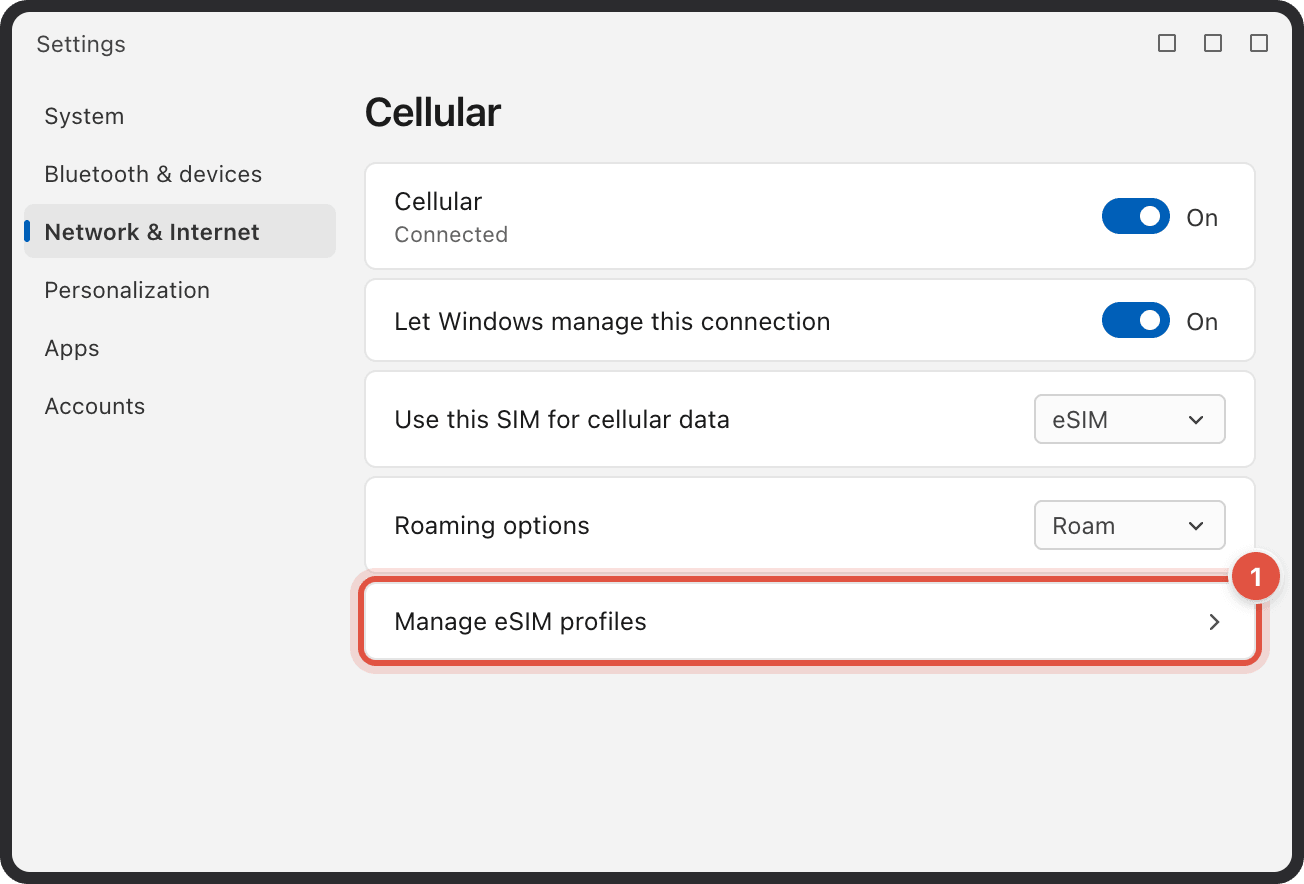
Izinyathelo ziyafana namagama ahlukile kancane: Settings → Network & Internet → Cellular → Manage eSIM profiles → Add a new profile → Let me enter an activation code I have from my mobile operator. Bese ukhetha iphrofayela bese ukhetha u-Use. Ngaphansi kwe-Cellular, setha u-Use this SIM for cellular data ku-eSIM no-Roaming options ku-Roam.
Izithombe kulezi zinyathelo yimifanekiso.
-
I-Windows 10: Settings → Network & Internet → Cellular → Manage eSIM profiles.
Umfanekiso
Uma ingaxhumi
Vula futhi uvale i-Airplane mode. Hlola ukuthi iphrofayela ye-Roambee iyasetshenziswa futhi i-roaming isethwe ku-Roam. Uma i-Windows icela i-APN, vula i-Cellular → Mobile operator settings → Add APN bese usebenzisa i-APN ekhonjiswe nemininingwane ye-eSIM yakho, uma ikhona. Ungalokothi ususe iphrofayela phakathi nohambo: i-eSIM ifakwa kanye.