

































































Which Apple devices support eSIM?
72 of 80 Apple models in our list support eSIM. Check the notes: some versions depend on the country where they were sold.

Where to find eSIM on Apple
Settings → Mobile Service (or Cellular) → Add eSIM. If you see this option, your iPhone supports eSIM.
Or dial *#06#: if you see an EID number, the device has eSIM. Bought from a carrier? It must be unlocked before a travel eSIM works.
All Apple models
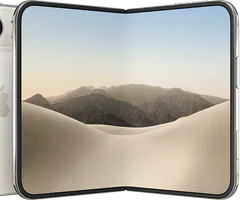 AppleiPhone DuoNo SIM tray: eSIM only.Details
- No SIM tray: eSIM only.
How to check
Settings → Mobile Service (or Cellular) → Add eSIM. If you see this option, your iPhone supports eSIM.
Or dial *#06#: if you see an EID number, the device has eSIM.
Bought from a carrier? It must be unlocked before a travel eSIM works.
Image: © Apple
 AppleiPhone 18 Pro MaxNo SIM tray in the US and some other countries: eSIM only.Details
- No SIM tray in the US and some other countries: eSIM only.
How to check
Settings → Mobile Service (or Cellular) → Add eSIM. If you see this option, your iPhone supports eSIM.
Or dial *#06#: if you see an EID number, the device has eSIM.
Bought from a carrier? It must be unlocked before a travel eSIM works.
Image: © Apple
 AppleiPhone 18 ProNo SIM tray in the US and some other countries: eSIM only.Details
- No SIM tray in the US and some other countries: eSIM only.
How to check
Settings → Mobile Service (or Cellular) → Add eSIM. If you see this option, your iPhone supports eSIM.
Or dial *#06#: if you see an EID number, the device has eSIM.
Bought from a carrier? It must be unlocked before a travel eSIM works.
Image: © Apple
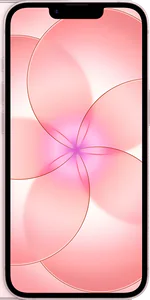 AppleiPhone 17eNo SIM tray in the US and some other countries: eSIM only.Details
- No SIM tray in the US and some other countries: eSIM only.
How to check
Settings → Mobile Service (or Cellular) → Add eSIM. If you see this option, your iPhone supports eSIM.
Or dial *#06#: if you see an EID number, the device has eSIM.
Bought from a carrier? It must be unlocked before a travel eSIM works.
Image: © Apple
 AppleiPhone AirNo SIM tray: eSIM only.Details
- No SIM tray: eSIM only.
How to check
Settings → Mobile Service (or Cellular) → Add eSIM. If you see this option, your iPhone supports eSIM.
Or dial *#06#: if you see an EID number, the device has eSIM.
Bought from a carrier? It must be unlocked before a travel eSIM works.
Image: © Apple
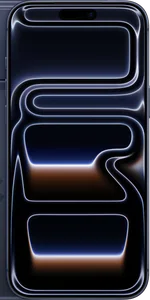 AppleiPhone 17 Pro MaxVersions sold in mainland China have no eSIM.Details
- Versions sold in mainland China have no eSIM.
- No SIM tray in the US and some other countries: eSIM only.
How to check
Settings → Mobile Service (or Cellular) → Add eSIM. If you see this option, your iPhone supports eSIM.
Or dial *#06#: if you see an EID number, the device has eSIM.
Bought from a carrier? It must be unlocked before a travel eSIM works.
Image: © Apple
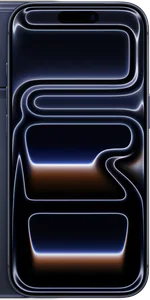 AppleiPhone 17 ProVersions sold in mainland China have no eSIM.Details
- Versions sold in mainland China have no eSIM.
- No SIM tray in the US and some other countries: eSIM only.
How to check
Settings → Mobile Service (or Cellular) → Add eSIM. If you see this option, your iPhone supports eSIM.
Or dial *#06#: if you see an EID number, the device has eSIM.
Bought from a carrier? It must be unlocked before a travel eSIM works.
Image: © Apple
 AppleiPhone 17Versions sold in mainland China have no eSIM.Details
- Versions sold in mainland China have no eSIM.
- No SIM tray in the US and some other countries: eSIM only.
How to check
Settings → Mobile Service (or Cellular) → Add eSIM. If you see this option, your iPhone supports eSIM.
Or dial *#06#: if you see an EID number, the device has eSIM.
Bought from a carrier? It must be unlocked before a travel eSIM works.
Image: © Apple
 AppleiPhone 16eVersions sold in mainland China have no eSIM.Details
- Versions sold in mainland China have no eSIM.
- US models have no SIM tray: eSIM only.
How to check
Settings → Mobile Service (or Cellular) → Add eSIM. If you see this option, your iPhone supports eSIM.
Or dial *#06#: if you see an EID number, the device has eSIM.
Bought from a carrier? It must be unlocked before a travel eSIM works.
Image: © Apple
 AppleiPhone 16 Pro MaxVersions from mainland China, Hong Kong and Macao have two physical SIMs and no eSIM.Details
- Versions from mainland China, Hong Kong and Macao have two physical SIMs and no eSIM.
- US models have no SIM tray: eSIM only.
How to check
Settings → Mobile Service (or Cellular) → Add eSIM. If you see this option, your iPhone supports eSIM.
Or dial *#06#: if you see an EID number, the device has eSIM.
Bought from a carrier? It must be unlocked before a travel eSIM works.
Image: © Apple
 AppleiPhone 16 ProVersions from mainland China, Hong Kong and Macao have two physical SIMs and no eSIM.Details
- Versions from mainland China, Hong Kong and Macao have two physical SIMs and no eSIM.
- US models have no SIM tray: eSIM only.
How to check
Settings → Mobile Service (or Cellular) → Add eSIM. If you see this option, your iPhone supports eSIM.
Or dial *#06#: if you see an EID number, the device has eSIM.
Bought from a carrier? It must be unlocked before a travel eSIM works.
Image: © Apple
 AppleiPhone 16 PlusVersions from mainland China, Hong Kong and Macao have two physical SIMs and no eSIM.Details
- Versions from mainland China, Hong Kong and Macao have two physical SIMs and no eSIM.
- US models have no SIM tray: eSIM only.
How to check
Settings → Mobile Service (or Cellular) → Add eSIM. If you see this option, your iPhone supports eSIM.
Or dial *#06#: if you see an EID number, the device has eSIM.
Bought from a carrier? It must be unlocked before a travel eSIM works.
Image: © Apple
 AppleiPhone 16Versions from mainland China, Hong Kong and Macao have two physical SIMs and no eSIM.Details
- Versions from mainland China, Hong Kong and Macao have two physical SIMs and no eSIM.
- US models have no SIM tray: eSIM only.
How to check
Settings → Mobile Service (or Cellular) → Add eSIM. If you see this option, your iPhone supports eSIM.
Or dial *#06#: if you see an EID number, the device has eSIM.
Bought from a carrier? It must be unlocked before a travel eSIM works.
Image: © Apple
 AppleiPhone 15 Pro MaxVersions from mainland China, Hong Kong and Macao have two physical SIMs and no eSIM.Details
- Versions from mainland China, Hong Kong and Macao have two physical SIMs and no eSIM.
- US models have no SIM tray: eSIM only.
How to check
Settings → Mobile Service (or Cellular) → Add eSIM. If you see this option, your iPhone supports eSIM.
Or dial *#06#: if you see an EID number, the device has eSIM.
Bought from a carrier? It must be unlocked before a travel eSIM works.
Image: © Apple
 AppleiPhone 15 ProVersions from mainland China, Hong Kong and Macao have two physical SIMs and no eSIM.Details
- Versions from mainland China, Hong Kong and Macao have two physical SIMs and no eSIM.
- US models have no SIM tray: eSIM only.
How to check
Settings → Mobile Service (or Cellular) → Add eSIM. If you see this option, your iPhone supports eSIM.
Or dial *#06#: if you see an EID number, the device has eSIM.
Bought from a carrier? It must be unlocked before a travel eSIM works.
Image: © Apple
 AppleiPhone 15 PlusVersions from mainland China, Hong Kong and Macao have two physical SIMs and no eSIM.Details
- Versions from mainland China, Hong Kong and Macao have two physical SIMs and no eSIM.
- US models have no SIM tray: eSIM only.
How to check
Settings → Mobile Service (or Cellular) → Add eSIM. If you see this option, your iPhone supports eSIM.
Or dial *#06#: if you see an EID number, the device has eSIM.
Bought from a carrier? It must be unlocked before a travel eSIM works.
Image: © Apple
 AppleiPhone 15Versions from mainland China, Hong Kong and Macao have two physical SIMs and no eSIM.Details
- Versions from mainland China, Hong Kong and Macao have two physical SIMs and no eSIM.
- US models have no SIM tray: eSIM only.
How to check
Settings → Mobile Service (or Cellular) → Add eSIM. If you see this option, your iPhone supports eSIM.
Or dial *#06#: if you see an EID number, the device has eSIM.
Bought from a carrier? It must be unlocked before a travel eSIM works.
Image: © Apple
 AppleiPhone 14 Pro MaxVersions from mainland China, Hong Kong and Macao have two physical SIMs and no eSIM.Details
- Versions from mainland China, Hong Kong and Macao have two physical SIMs and no eSIM.
- US models have no SIM tray: eSIM only.
How to check
Settings → Mobile Service (or Cellular) → Add eSIM. If you see this option, your iPhone supports eSIM.
Or dial *#06#: if you see an EID number, the device has eSIM.
Bought from a carrier? It must be unlocked before a travel eSIM works.
Image: © Apple
 AppleiPhone 14 ProVersions from mainland China, Hong Kong and Macao have two physical SIMs and no eSIM.Details
- Versions from mainland China, Hong Kong and Macao have two physical SIMs and no eSIM.
- US models have no SIM tray: eSIM only.
How to check
Settings → Mobile Service (or Cellular) → Add eSIM. If you see this option, your iPhone supports eSIM.
Or dial *#06#: if you see an EID number, the device has eSIM.
Bought from a carrier? It must be unlocked before a travel eSIM works.
Image: © Apple
 AppleiPhone 14 PlusVersions from mainland China, Hong Kong and Macao have two physical SIMs and no eSIM.Details
- Versions from mainland China, Hong Kong and Macao have two physical SIMs and no eSIM.
- US models have no SIM tray: eSIM only.
How to check
Settings → Mobile Service (or Cellular) → Add eSIM. If you see this option, your iPhone supports eSIM.
Or dial *#06#: if you see an EID number, the device has eSIM.
Bought from a carrier? It must be unlocked before a travel eSIM works.
Image: © Apple
 AppleiPhone 14Versions from mainland China, Hong Kong and Macao have two physical SIMs and no eSIM.Details
- Versions from mainland China, Hong Kong and Macao have two physical SIMs and no eSIM.
- US models have no SIM tray: eSIM only.
How to check
Settings → Mobile Service (or Cellular) → Add eSIM. If you see this option, your iPhone supports eSIM.
Or dial *#06#: if you see an EID number, the device has eSIM.
Bought from a carrier? It must be unlocked before a travel eSIM works.
Image: © Apple
 AppleiPhone SE (3rd generation)Versions sold in mainland China have no eSIM.Details
- Versions sold in mainland China have no eSIM.
How to check
Settings → Mobile Service (or Cellular) → Add eSIM. If you see this option, your iPhone supports eSIM.
Or dial *#06#: if you see an EID number, the device has eSIM.
Bought from a carrier? It must be unlocked before a travel eSIM works.
Image: © Apple
 AppleiPhone 13 Pro MaxVersions from mainland China, Hong Kong and Macao have two physical SIMs and no eSIM.Details
- Versions from mainland China, Hong Kong and Macao have two physical SIMs and no eSIM.
How to check
Settings → Mobile Service (or Cellular) → Add eSIM. If you see this option, your iPhone supports eSIM.
Or dial *#06#: if you see an EID number, the device has eSIM.
Bought from a carrier? It must be unlocked before a travel eSIM works.
Image: © Apple
 AppleiPhone 13 ProVersions from mainland China, Hong Kong and Macao have two physical SIMs and no eSIM.Details
- Versions from mainland China, Hong Kong and Macao have two physical SIMs and no eSIM.
How to check
Settings → Mobile Service (or Cellular) → Add eSIM. If you see this option, your iPhone supports eSIM.
Or dial *#06#: if you see an EID number, the device has eSIM.
Bought from a carrier? It must be unlocked before a travel eSIM works.
Image: © Apple
 AppleiPhone 13Versions from mainland China, Hong Kong and Macao have two physical SIMs and no eSIM.Details
- Versions from mainland China, Hong Kong and Macao have two physical SIMs and no eSIM.
How to check
Settings → Mobile Service (or Cellular) → Add eSIM. If you see this option, your iPhone supports eSIM.
Or dial *#06#: if you see an EID number, the device has eSIM.
Bought from a carrier? It must be unlocked before a travel eSIM works.
Image: © Apple
 AppleiPhone 13 miniVersions sold in mainland China have no eSIM.Details
- Versions sold in mainland China have no eSIM.
How to check
Settings → Mobile Service (or Cellular) → Add eSIM. If you see this option, your iPhone supports eSIM.
Or dial *#06#: if you see an EID number, the device has eSIM.
Bought from a carrier? It must be unlocked before a travel eSIM works.
Image: © Apple
 AppleiPhone 12 Pro MaxVersions from mainland China, Hong Kong and Macao have two physical SIMs and no eSIM.Details
- Versions from mainland China, Hong Kong and Macao have two physical SIMs and no eSIM.
How to check
Settings → Mobile Service (or Cellular) → Add eSIM. If you see this option, your iPhone supports eSIM.
Or dial *#06#: if you see an EID number, the device has eSIM.
Bought from a carrier? It must be unlocked before a travel eSIM works.
Image: © Apple
 AppleiPhone 12 ProVersions from mainland China, Hong Kong and Macao have two physical SIMs and no eSIM.Details
- Versions from mainland China, Hong Kong and Macao have two physical SIMs and no eSIM.
How to check
Settings → Mobile Service (or Cellular) → Add eSIM. If you see this option, your iPhone supports eSIM.
Or dial *#06#: if you see an EID number, the device has eSIM.
Bought from a carrier? It must be unlocked before a travel eSIM works.
Image: © Apple
 AppleiPhone 12Versions from mainland China, Hong Kong and Macao have two physical SIMs and no eSIM.Details
- Versions from mainland China, Hong Kong and Macao have two physical SIMs and no eSIM.
How to check
Settings → Mobile Service (or Cellular) → Add eSIM. If you see this option, your iPhone supports eSIM.
Or dial *#06#: if you see an EID number, the device has eSIM.
Bought from a carrier? It must be unlocked before a travel eSIM works.
Image: © Apple
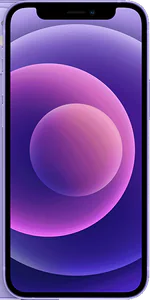 AppleiPhone 12 miniVersions sold in mainland China have no eSIM.Details
- Versions sold in mainland China have no eSIM.
How to check
Settings → Mobile Service (or Cellular) → Add eSIM. If you see this option, your iPhone supports eSIM.
Or dial *#06#: if you see an EID number, the device has eSIM.
Bought from a carrier? It must be unlocked before a travel eSIM works.
Image: © Apple
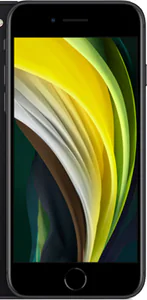 AppleiPhone SE (2nd generation)Versions sold in mainland China have no eSIM.Details
- Versions sold in mainland China have no eSIM.
How to check
Settings → Mobile Service (or Cellular) → Add eSIM. If you see this option, your iPhone supports eSIM.
Or dial *#06#: if you see an EID number, the device has eSIM.
Bought from a carrier? It must be unlocked before a travel eSIM works.
Image: © Apple
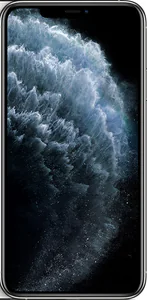 AppleiPhone 11 Pro MaxVersions from mainland China, Hong Kong and Macao have two physical SIMs and no eSIM.Details
- Versions from mainland China, Hong Kong and Macao have two physical SIMs and no eSIM.
How to check
Settings → Mobile Service (or Cellular) → Add eSIM. If you see this option, your iPhone supports eSIM.
Or dial *#06#: if you see an EID number, the device has eSIM.
Bought from a carrier? It must be unlocked before a travel eSIM works.
Image: © Apple
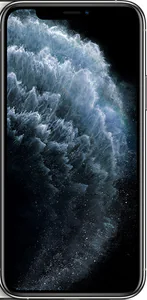 AppleiPhone 11 ProVersions from mainland China, Hong Kong and Macao have two physical SIMs and no eSIM.Details
- Versions from mainland China, Hong Kong and Macao have two physical SIMs and no eSIM.
How to check
Settings → Mobile Service (or Cellular) → Add eSIM. If you see this option, your iPhone supports eSIM.
Or dial *#06#: if you see an EID number, the device has eSIM.
Bought from a carrier? It must be unlocked before a travel eSIM works.
Image: © Apple
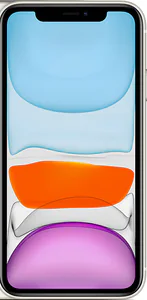 AppleiPhone 11Versions from mainland China, Hong Kong and Macao have two physical SIMs and no eSIM.Details
- Versions from mainland China, Hong Kong and Macao have two physical SIMs and no eSIM.
How to check
Settings → Mobile Service (or Cellular) → Add eSIM. If you see this option, your iPhone supports eSIM.
Or dial *#06#: if you see an EID number, the device has eSIM.
Bought from a carrier? It must be unlocked before a travel eSIM works.
Image: © Apple
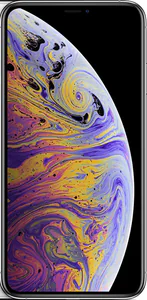 AppleiPhone XS MaxVersions from mainland China, Hong Kong and Macao have two physical SIMs and no eSIM.Details
- Versions from mainland China, Hong Kong and Macao have two physical SIMs and no eSIM.
How to check
Settings → Mobile Service (or Cellular) → Add eSIM. If you see this option, your iPhone supports eSIM.
Or dial *#06#: if you see an EID number, the device has eSIM.
Bought from a carrier? It must be unlocked before a travel eSIM works.
Image: © Apple
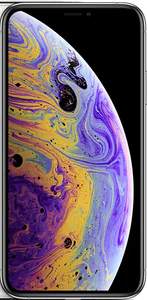 AppleiPhone XSVersions sold in mainland China have no eSIM.Details
- Versions sold in mainland China have no eSIM.
How to check
Settings → Mobile Service (or Cellular) → Add eSIM. If you see this option, your iPhone supports eSIM.
Or dial *#06#: if you see an EID number, the device has eSIM.
Bought from a carrier? It must be unlocked before a travel eSIM works.
Image: © Apple
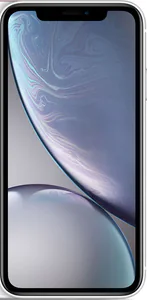 AppleiPhone XRVersions from mainland China, Hong Kong and Macao have two physical SIMs and no eSIM.Details
- Versions from mainland China, Hong Kong and Macao have two physical SIMs and no eSIM.
How to check
Settings → Mobile Service (or Cellular) → Add eSIM. If you see this option, your iPhone supports eSIM.
Or dial *#06#: if you see an EID number, the device has eSIM.
Bought from a carrier? It must be unlocked before a travel eSIM works.
Image: © Apple
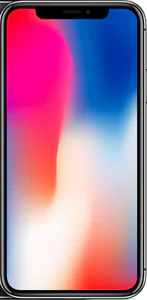 AppleiPhone XDetails
This model has no eSIM. You can share the internet from a phone that has one.
Image: © Apple
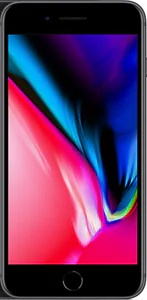 AppleiPhone 8 PlusDetails
This model has no eSIM. You can share the internet from a phone that has one.
Image: © Apple
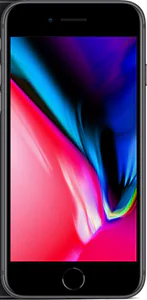 AppleiPhone 8Details
This model has no eSIM. You can share the internet from a phone that has one.
Image: © Apple
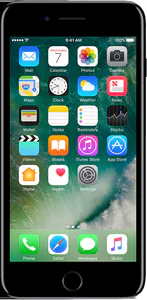 AppleiPhone 7 PlusDetails
This model has no eSIM. You can share the internet from a phone that has one.
Image: © Apple
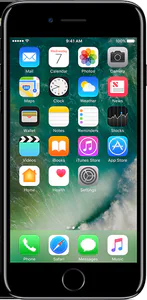 AppleiPhone 7Details
This model has no eSIM. You can share the internet from a phone that has one.
Image: © Apple
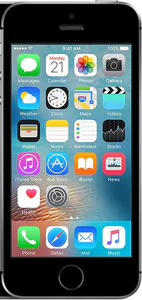 AppleiPhone SE (1st generation)Details
This model has no eSIM. You can share the internet from a phone that has one.
Image: © Apple
 AppleiPad Air (M4)Only the cellular (LTE or 5G) version has eSIM.Details
- Only the cellular (LTE or 5G) version has eSIM.
- No SIM tray: eSIM only.
How to check
Settings → Mobile Data (or Cellular Data). If you see Add eSIM or Add a New Plan, your iPad supports eSIM.
Or dial *#06#: if you see an EID number, the device has eSIM.
Image: © Apple
 AppleiPad Pro (M5)Only the cellular (LTE or 5G) version has eSIM.Details
- Only the cellular (LTE or 5G) version has eSIM.
- No SIM tray: eSIM only.
How to check
Settings → Mobile Data (or Cellular Data). If you see Add eSIM or Add a New Plan, your iPad supports eSIM.
Or dial *#06#: if you see an EID number, the device has eSIM.
Image: © Apple
 AppleiPad Air (M3)Only the cellular (LTE or 5G) version has eSIM.Details
- Only the cellular (LTE or 5G) version has eSIM.
- No SIM tray: eSIM only.
How to check
Settings → Mobile Data (or Cellular Data). If you see Add eSIM or Add a New Plan, your iPad supports eSIM.
Or dial *#06#: if you see an EID number, the device has eSIM.
Image: © Apple
 AppleiPad (A16)Only the cellular (LTE or 5G) version has eSIM.Details
- Only the cellular (LTE or 5G) version has eSIM.
- No SIM tray: eSIM only.
How to check
Settings → Mobile Data (or Cellular Data). If you see Add eSIM or Add a New Plan, your iPad supports eSIM.
Or dial *#06#: if you see an EID number, the device has eSIM.
Image: © Apple
 AppleiPad Pro (M4)Only the cellular (LTE or 5G) version has eSIM.Details
- Only the cellular (LTE or 5G) version has eSIM.
- No SIM tray: eSIM only.
How to check
Settings → Mobile Data (or Cellular Data). If you see Add eSIM or Add a New Plan, your iPad supports eSIM.
Or dial *#06#: if you see an EID number, the device has eSIM.
Image: © Apple
 AppleiPad Air (M2)Only the cellular (LTE or 5G) version has eSIM.Details
- Only the cellular (LTE or 5G) version has eSIM.
- No SIM tray: eSIM only.
How to check
Settings → Mobile Data (or Cellular Data). If you see Add eSIM or Add a New Plan, your iPad supports eSIM.
Or dial *#06#: if you see an EID number, the device has eSIM.
Image: © Apple
 AppleiPad mini (A17 Pro)Only the cellular (LTE or 5G) version has eSIM.Details
- Only the cellular (LTE or 5G) version has eSIM.
- No SIM tray: eSIM only.
How to check
Settings → Mobile Data (or Cellular Data). If you see Add eSIM or Add a New Plan, your iPad supports eSIM.
Or dial *#06#: if you see an EID number, the device has eSIM.
Image: © Apple
 AppleiPad Pro (2022, M2)Only the cellular (LTE or 5G) version has eSIM.Details
- Only the cellular (LTE or 5G) version has eSIM.
- Versions sold in mainland China have no eSIM.
How to check
Settings → Mobile Data (or Cellular Data). If you see Add eSIM or Add a New Plan, your iPad supports eSIM.
Or dial *#06#: if you see an EID number, the device has eSIM.
Image: © Apple
 AppleiPad Air (5th generation)Only the cellular (LTE or 5G) version has eSIM.Details
- Only the cellular (LTE or 5G) version has eSIM.
- Versions sold in mainland China have no eSIM.
How to check
Settings → Mobile Data (or Cellular Data). If you see Add eSIM or Add a New Plan, your iPad supports eSIM.
Or dial *#06#: if you see an EID number, the device has eSIM.
Image: © Apple
 AppleiPad (10th generation)Only the cellular (LTE or 5G) version has eSIM.Details
- Only the cellular (LTE or 5G) version has eSIM.
- Versions sold in mainland China have no eSIM.
How to check
Settings → Mobile Data (or Cellular Data). If you see Add eSIM or Add a New Plan, your iPad supports eSIM.
Or dial *#06#: if you see an EID number, the device has eSIM.
Image: © Apple
 AppleiPad Pro (2021, M1)Only the cellular (LTE or 5G) version has eSIM.Details
- Only the cellular (LTE or 5G) version has eSIM.
- Versions sold in mainland China have no eSIM.
How to check
Settings → Mobile Data (or Cellular Data). If you see Add eSIM or Add a New Plan, your iPad supports eSIM.
Or dial *#06#: if you see an EID number, the device has eSIM.
Image: © Apple
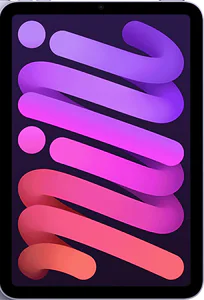 AppleiPad mini (6th generation)Only the cellular (LTE or 5G) version has eSIM.Details
- Only the cellular (LTE or 5G) version has eSIM.
- Versions sold in mainland China have no eSIM.
How to check
Settings → Mobile Data (or Cellular Data). If you see Add eSIM or Add a New Plan, your iPad supports eSIM.
Or dial *#06#: if you see an EID number, the device has eSIM.
Image: © Apple
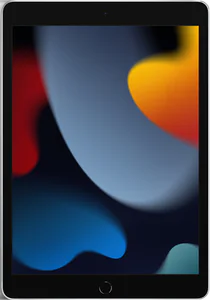 AppleiPad (9th generation)Only the cellular (LTE or 5G) version has eSIM.Details
- Only the cellular (LTE or 5G) version has eSIM.
- Versions sold in mainland China have no eSIM.
How to check
Settings → Mobile Data (or Cellular Data). If you see Add eSIM or Add a New Plan, your iPad supports eSIM.
Or dial *#06#: if you see an EID number, the device has eSIM.
Image: © Apple
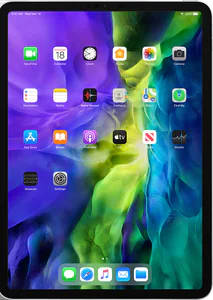 AppleiPad Pro (2020)Only the cellular (LTE or 5G) version has eSIM.Details
- Only the cellular (LTE or 5G) version has eSIM.
- Versions sold in mainland China have no eSIM.
How to check
Settings → Mobile Data (or Cellular Data). If you see Add eSIM or Add a New Plan, your iPad supports eSIM.
Or dial *#06#: if you see an EID number, the device has eSIM.
Image: © Apple
 AppleiPad Air (4th generation)Only the cellular (LTE or 5G) version has eSIM.Details
- Only the cellular (LTE or 5G) version has eSIM.
- Versions sold in mainland China have no eSIM.
How to check
Settings → Mobile Data (or Cellular Data). If you see Add eSIM or Add a New Plan, your iPad supports eSIM.
Or dial *#06#: if you see an EID number, the device has eSIM.
Image: © Apple
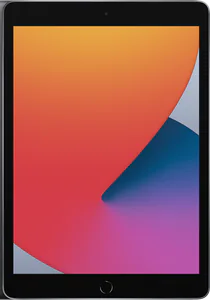 AppleiPad (8th generation)Only the cellular (LTE or 5G) version has eSIM.Details
- Only the cellular (LTE or 5G) version has eSIM.
- Versions sold in mainland China have no eSIM.
How to check
Settings → Mobile Data (or Cellular Data). If you see Add eSIM or Add a New Plan, your iPad supports eSIM.
Or dial *#06#: if you see an EID number, the device has eSIM.
Image: © Apple
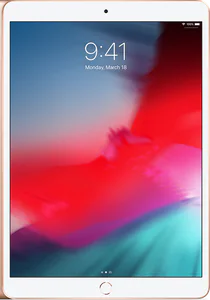 AppleiPad Air (3rd generation)Only the cellular (LTE or 5G) version has eSIM.Details
- Only the cellular (LTE or 5G) version has eSIM.
- Versions sold in mainland China have no eSIM.
How to check
Settings → Mobile Data (or Cellular Data). If you see Add eSIM or Add a New Plan, your iPad supports eSIM.
Or dial *#06#: if you see an EID number, the device has eSIM.
Image: © Apple
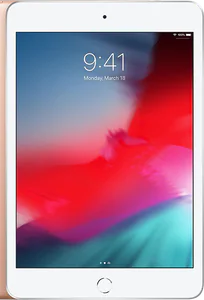 AppleiPad mini (5th generation)Only the cellular (LTE or 5G) version has eSIM.Details
- Only the cellular (LTE or 5G) version has eSIM.
- Versions sold in mainland China have no eSIM.
How to check
Settings → Mobile Data (or Cellular Data). If you see Add eSIM or Add a New Plan, your iPad supports eSIM.
Or dial *#06#: if you see an EID number, the device has eSIM.
Image: © Apple
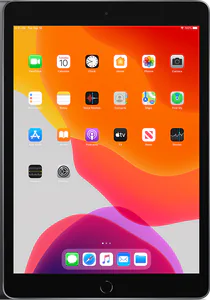 AppleiPad (7th generation)Only the cellular (LTE or 5G) version has eSIM.Details
- Only the cellular (LTE or 5G) version has eSIM.
- Versions sold in mainland China have no eSIM.
How to check
Settings → Mobile Data (or Cellular Data). If you see Add eSIM or Add a New Plan, your iPad supports eSIM.
Or dial *#06#: if you see an EID number, the device has eSIM.
Image: © Apple
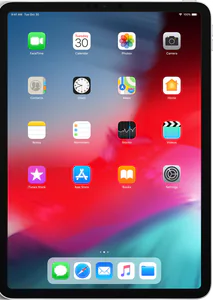 AppleiPad Pro (2018)Only the cellular (LTE or 5G) version has eSIM.Details
- Only the cellular (LTE or 5G) version has eSIM.
- Versions sold in mainland China have no eSIM.
How to check
Settings → Mobile Data (or Cellular Data). If you see Add eSIM or Add a New Plan, your iPad supports eSIM.
Or dial *#06#: if you see an EID number, the device has eSIM.
Image: © Apple
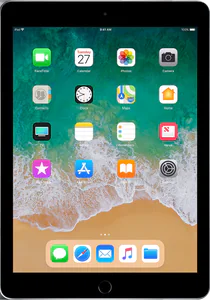 AppleiPad (6th generation)Details
This model has no eSIM. You can share the internet from a phone that has one.
Image: © Apple
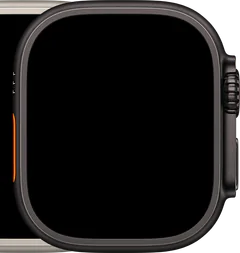 AppleApple Watch Ultra 3Only the cellular (LTE or 5G) version has eSIM.Details
- Only the cellular (LTE or 5G) version has eSIM.
- The eSIM works only with your phone carrier's watch plan. A travel eSIM can't be added.
How to check
On the iPhone: Watch app → Mobile Service. Only your phone carrier's watch plan can be added here.
Image: © Apple
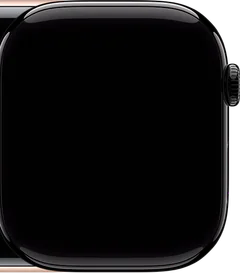 AppleApple Watch Series 11Only the cellular (LTE or 5G) version has eSIM.Details
- Only the cellular (LTE or 5G) version has eSIM.
- The eSIM works only with your phone carrier's watch plan. A travel eSIM can't be added.
How to check
On the iPhone: Watch app → Mobile Service. Only your phone carrier's watch plan can be added here.
Image: © Apple
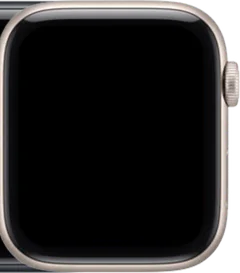 AppleApple Watch SE (3rd generation)Only the cellular (LTE or 5G) version has eSIM.Details
- Only the cellular (LTE or 5G) version has eSIM.
- The eSIM works only with your phone carrier's watch plan. A travel eSIM can't be added.
How to check
On the iPhone: Watch app → Mobile Service. Only your phone carrier's watch plan can be added here.
Image: © Apple
 AppleApple Watch Series 10Only the cellular (LTE or 5G) version has eSIM.Details
- Only the cellular (LTE or 5G) version has eSIM.
- The eSIM works only with your phone carrier's watch plan. A travel eSIM can't be added.
How to check
On the iPhone: Watch app → Mobile Service. Only your phone carrier's watch plan can be added here.
Image: © Apple
 AppleApple Watch Ultra 2Only the cellular (LTE or 5G) version has eSIM.Details
- Only the cellular (LTE or 5G) version has eSIM.
- The eSIM works only with your phone carrier's watch plan. A travel eSIM can't be added.
How to check
On the iPhone: Watch app → Mobile Service. Only your phone carrier's watch plan can be added here.
Image: © Apple
 AppleApple Watch Series 9Only the cellular (LTE or 5G) version has eSIM.Details
- Only the cellular (LTE or 5G) version has eSIM.
- The eSIM works only with your phone carrier's watch plan. A travel eSIM can't be added.
How to check
On the iPhone: Watch app → Mobile Service. Only your phone carrier's watch plan can be added here.
Image: © Apple
 AppleApple Watch UltraOnly the cellular (LTE or 5G) version has eSIM.Details
- Only the cellular (LTE or 5G) version has eSIM.
- The eSIM works only with your phone carrier's watch plan. A travel eSIM can't be added.
How to check
On the iPhone: Watch app → Mobile Service. Only your phone carrier's watch plan can be added here.
Image: © Apple
 AppleApple Watch Series 8Only the cellular (LTE or 5G) version has eSIM.Details
- Only the cellular (LTE or 5G) version has eSIM.
- The eSIM works only with your phone carrier's watch plan. A travel eSIM can't be added.
How to check
On the iPhone: Watch app → Mobile Service. Only your phone carrier's watch plan can be added here.
Image: © Apple
 AppleApple Watch SE (2nd generation)Only the cellular (LTE or 5G) version has eSIM.Details
- Only the cellular (LTE or 5G) version has eSIM.
- The eSIM works only with your phone carrier's watch plan. A travel eSIM can't be added.
How to check
On the iPhone: Watch app → Mobile Service. Only your phone carrier's watch plan can be added here.
Image: © Apple
 AppleApple Watch Series 7Only the cellular (LTE or 5G) version has eSIM.Details
- Only the cellular (LTE or 5G) version has eSIM.
- The eSIM works only with your phone carrier's watch plan. A travel eSIM can't be added.
How to check
On the iPhone: Watch app → Mobile Service. Only your phone carrier's watch plan can be added here.
Image: © Apple
 AppleApple Watch Series 6Only the cellular (LTE or 5G) version has eSIM.Details
- Only the cellular (LTE or 5G) version has eSIM.
- The eSIM works only with your phone carrier's watch plan. A travel eSIM can't be added.
How to check
On the iPhone: Watch app → Mobile Service. Only your phone carrier's watch plan can be added here.
Image: © Apple
 AppleApple Watch SEOnly the cellular (LTE or 5G) version has eSIM.Details
- Only the cellular (LTE or 5G) version has eSIM.
- The eSIM works only with your phone carrier's watch plan. A travel eSIM can't be added.
How to check
On the iPhone: Watch app → Mobile Service. Only your phone carrier's watch plan can be added here.
Image: © Apple
 AppleApple Watch Series 5Only the cellular (LTE or 5G) version has eSIM.Details
- Only the cellular (LTE or 5G) version has eSIM.
- The eSIM works only with your phone carrier's watch plan. A travel eSIM can't be added.
How to check
On the iPhone: Watch app → Mobile Service. Only your phone carrier's watch plan can be added here.
Image: © Apple
 AppleApple Watch Series 4Only the cellular (LTE or 5G) version has eSIM.Details
- Only the cellular (LTE or 5G) version has eSIM.
- The eSIM works only with your phone carrier's watch plan. A travel eSIM can't be added.
How to check
On the iPhone: Watch app → Mobile Service. Only your phone carrier's watch plan can be added here.
Image: © Apple
 AppleApple Watch Series 3Only the cellular (LTE or 5G) version has eSIM.Details
- Only the cellular (LTE or 5G) version has eSIM.
- The eSIM works only with your phone carrier's watch plan. A travel eSIM can't be added.
How to check
On the iPhone: Watch app → Mobile Service. Only your phone carrier's watch plan can be added here.
Image: © Apple
 AppleMacBook Air / MacBook ProDetails
This model has no eSIM. You can share the internet from a phone that has one.
Image: © Apple

Apple eSIM questions
Which Apple models support eSIM?
How do I check if my Apple device has eSIM?
Does it depend on where I bought my Apple device?
Does my Apple device need to be unlocked?
Can I keep my own SIM while using a travel eSIM?
Sources
Checked against the manufacturer's own pages on 15 November 2026. Device lists change with every release and vary by country.